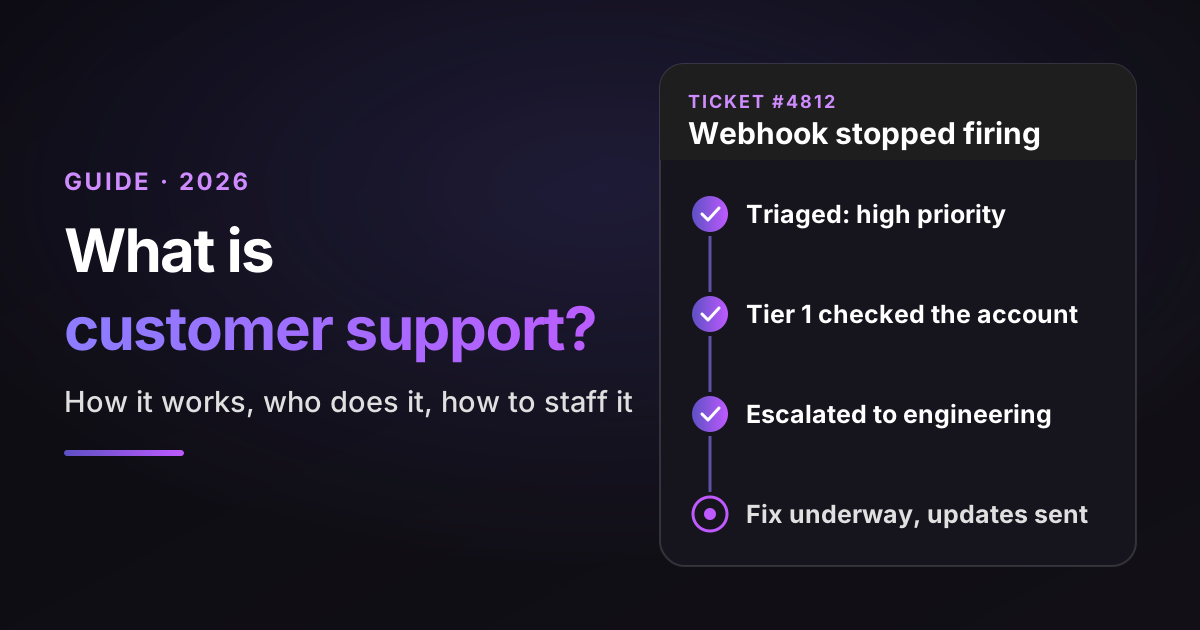
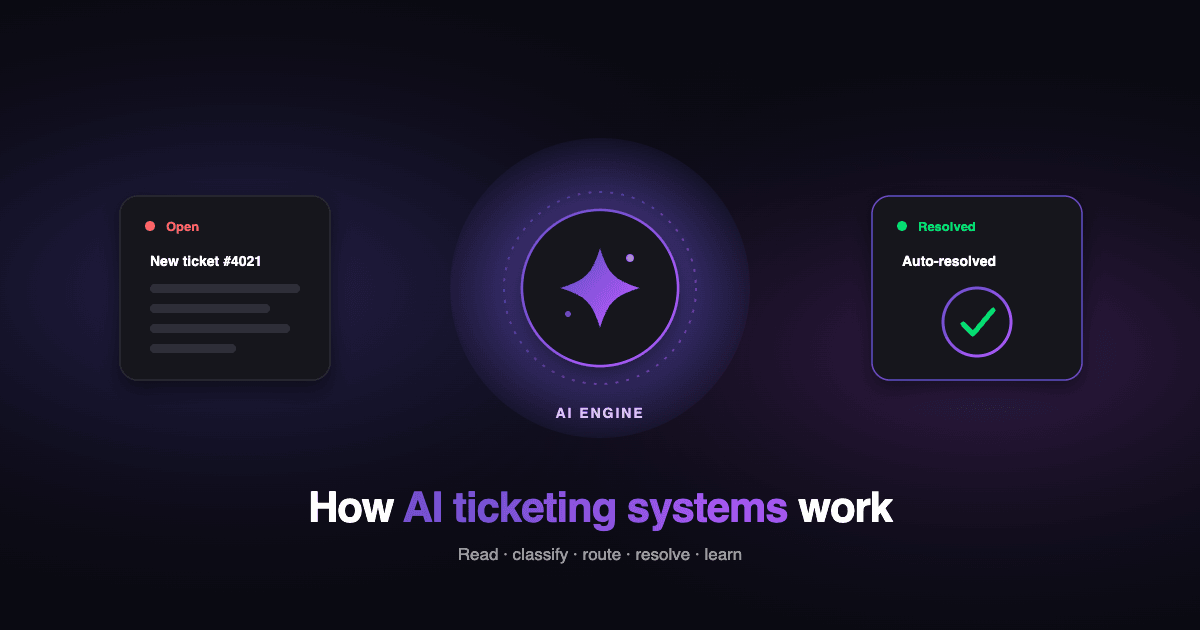
An AI ticketing system is help desk software that uses AI to read, categorize, route, and in some cases resolve support tickets without a person doing it by hand. That is the plain version. The messier version is what most buyers run into once they start shopping.
Every vendor page you land on sells the same promise. Point AI at your tickets and watch them disappear. The reality support and IT teams report is narrower. Some parts of the job work well right now. Other parts, especially fully autonomous resolution of hard tickets, are where tools over-promise and where a bad rollout quietly closes tickets it never solved.
This guide separates the two. You will get a clear definition, how an AI ticketing system works step by step, what it reliably does today versus what to scrutinize, and a comparison of the best tools for 2026. It splits those tools by the decision that matters most before any feature list: are you running a customer support desk for external customers, or an internal IT desk for employees? Those are different products with different AI jobs, and mixing them up is the most common mistake in this category.
By the end you will be able to shortlist the right tools for your desk, judge them on resolution quality and billing instead of marketing claims, and forecast the bill before you ever get on a sales call.
TL;DR
An AI ticketing system reads, tags, routes, drafts, and sometimes resolves support tickets without manual work. Here is what matters before you shop.
-
Reliable in 2026: summarization, triage, tagging, routing, and reply drafting.
-
Test this hardest: fully autonomous resolution of complex tickets, the capability that varies most between tools.
-
Judge resolution quality first. Check whether a tool verifies and tags what it resolved and escalates with context when unsure, above any headline deflection rate.
-
Watch billing mechanics. Per-resolution, per-seat, and platform models produce very different invoices at volume.
Best AI ticketing system to use by scenario:
-
High-volume consumer or transactional support: Zendesk AI or Freshdesk, which resolve documented, repetitive tickets at scale.
-
Chat-first CX teams: Intercom Fin, an autonomous agent billed per outcome.
-
B2B SaaS with technical tickets on Zendesk, Intercom, Salesforce, HubSpot, Jira Service Management, or Freshdesk: Pluno, which learns from resolved support tickets to handle undocumented edge cases and escalates to engineering with context.
-
Support that lives in Slack or Discord: Pylon, built for shared-channel B2B support.
-
Teams standardized on Salesforce: Salesforce Agentforce on Service Cloud.
-
Internal IT or ITSM desks: Freshservice or SysAid, with Atera for MSPs adding remote monitoring and Jira Service Management for dev-heavy orgs.
-
Whatever your shortlist: run it against your own historical resolved tickets before you buy.
What is an AI ticketing system?
An AI ticketing system is help desk software that applies AI to the ticket lifecycle, enabling it to understand a request, categorize and route it, and either assist an agent in answering it or resolve it automatically.
It differs from a traditional ticketing system, which logs and routes tickets according to fixed rules that a human writes and maintains. It also differs from a basic chatbot or answer bot, which matches keywords and suggests help center articles without understanding the request. An AI ticketing system reads the ticket's actual content and acts on it.
The term covers two lineages that often get blurred. One is customer support ticketing, where the tickets come from external customers, and the goal is resolution and CSAT.
The other is IT and ITSM ticketing, where the tickets come from employees or managed clients, and the goal is incident, asset, and service management. Generative AI ticketing is the newer layer within both: models that draft replies and attempt resolutions in natural language, rather than following pre-written flows.
How does an AI ticketing system work?
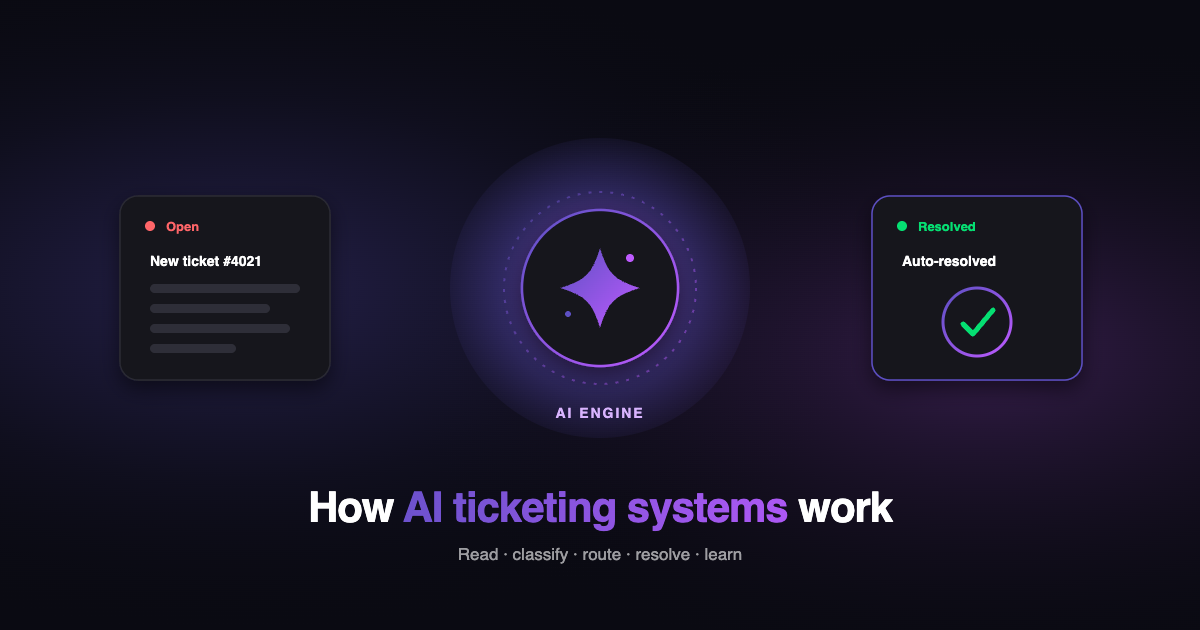
An AI ticketing system works in five steps: it reads the ticket, classifies and tags it, routes and prioritizes it, drafts or delivers a response, then learns from the outcome.
-
Intake and understanding. Natural language processing reads the ticket and works out intent, sentiment, and language. This is where the system determines what the customer is asking, beyond just which keywords appear.
-
Classification and tagging. The system categorizes the ticket and fills fields, so a billing question, a bug report, and a cancellation each get labeled and organized without an agent doing it.
-
Routing and prioritization. It assigns the ticket to the right queue or agent and sets priority based on content and urgency, cutting the manual triage that eats up a team's morning.
-
Response and resolution. It drafts a reply for an agent to review or attempts to resolve the ticket itself by drawing on its knowledge sources. How well this step works depends entirely on what the system can learn from.
-
Continuous learning. It improves over time from resolved tickets and agent corrections, so accuracy climbs as the system sees more of your real cases.
That fourth step is where tools diverge most. A system that only ingests your help center can answer documented questions and little else. A system that also ingests resolved support tickets and data from connected systems can handle issues the help center never documented, which is common in B2B SaaS, where the product changes faster than the docs.
What AI ticketing does well today (and where it over-promises)
AI ticketing systems reliably handle summarization, triage, tagging, routing, and reply drafting today. Fully autonomous resolution of complex tickets is where results vary most and where buyers should look hardest.
What works reliably today. In practitioner forums, one theme is consistent:
-
Summarization. The feature almost everyone agrees earns its keep, since it saves agents from reading a thirty-message thread before they act.
-
Triage, tagging, and routing. Bounded tasks with clear right answers, so the AI stays accurate on them.
-
Reply drafting via an agent copilot. A human reviews the draft before it sends, which keeps customer-facing risk lower than an autonomous reply.
Where it over-promises. Autonomous resolution fails in two ways buyers should know before they sign:
-
Deflection without resolution. A bot marks a ticket resolved when the customer stops replying, even though the underlying problem was never fixed. Practitioners describe AI that closes tickets with the equivalent of "have you tried turning it off and on again," including on issues that clearly needed a human.
-
Garbage in, garbage out. A system trained on messy or outdated ticket data inherits the mess and repeats it confidently.
Smartness ran into the first of these with the AI agent it used before Pluno:
"We had lots of resolved tickets, but the quality of those resolved tickets when you started digging into it wasn't great, and our customers obviously started complaining after a few months."
Joseph D'Apuzzo, Customer Support Manager at Smartness
How to judge a tool. Look past the headline deflection rate and ask three questions:
-
Does it tag and let you verify what it resolved, so you can audit the claim?
-
Does it escalate with full context when it is unsure, instead of forcing a close?
-
What does it learn from? A system grounded in resolved support tickets tends to produce better resolutions than one that relies solely on a help center.
Soft-resolution windows are standard across the category, so the thing worth comparing is how each tool handles the cases it cannot resolve.
Benefits of AI ticketing systems
AI ticketing systems cut first-response and resolution times, reduce backlog and cost per ticket, and help hold CSAT steady as volume grows. The size of the gain depends on your ticket mix and the tool, so treat the ranges vendors publish as directional and confirm them against your own data.
-
Faster first response. Tickets get read, tagged, and routed the moment they arrive, so customers wait less for a first human touch.
-
Lower backlog. Repetitive and documented tickets get handled automatically, which keeps the queue from compounding during volume spikes.
-
Lower cost per ticket. Automating the routine share of volume means the team handles more volume without hiring in step with it.
-
Steadier CSAT. Agents spend their time on the tickets that need judgment, which is where satisfaction is won or lost.
-
Faster onboarding. New agents ramp quicker when the system surfaces past resolutions and drafts, so they do not have to learn every edge case cold.
-
Better trend insight. Clustering and topic detection show which issues drive volume, so product and docs fixes cut tickets at the source.
On faster onboarding specifically:
"The internal copilot… is really helpful especially for new hires when we're maybe a little bit stuck on what should my next troubleshooting step be."
Sarala Conlan, Sr. Customer Support Manager at Kojo
Where vendors cite hard numbers, trace them to the source before you rely on them. Zendesk, for example, reports a customer automating a large share of chat inquiries with its AI. Verify any figure like that against the vendor's own case study, and be skeptical of round numbers with no citation.
Must-have features to look for in an AI ticketing system
The features that matter most are the knowledge sources the system learns from, safe, autonomous resolution, auto-tagging, smart routing, an agent copilot, analytics, integrations, and transparent billing. Use this as a checklist when you evaluate.
-
Knowledge sources. What can it ingest? Help center only is thin. The help center, resolved support tickets, and connected systems handle the real complexity.
-
Autonomous resolution with safe escalation. It should resolve what it can and hand off cleanly with context when it cannot.
-
Auto tagging and field filling. Automatic ticket categorization and field auto-fill remove the manual admin on every ticket. Pluno's Zendesk auto-tagging guide explains how AI tagging helps avoid tag sprawl.
-
Routing and prioritization. Content-aware assignment beats static rules that break as your product grows.
-
Agent copilot. Reply drafting and diagnostic guidance for the tickets a human still owns.
-
Analytics and trend detection. Clustering that shows the recurring issues behind your volume.
-
Integrations. Your help desk first, plus Slack, Jira, and Linear for escalations that reach engineering.
-
Transparent billing and verification. You should be able to see what the AI resolved and understand exactly what you pay for.
Customer support vs IT ticketing: which AI ticketing system do you need?
Choose a customer support AI ticketing system if you handle external customer tickets, and an IT or ITSM system if you run an internal help desk. They are different product categories with different AI jobs, and the tool lists barely overlap.
Customer support ticketing serves external customers. The AI job is to resolve product and account issues, draft on-brand replies, and protect CSAT at volume. Zendesk, Freshdesk, Intercom, Salesforce, Pylon, and Pluno live here. IT and ITSM ticketing serves employees or managed clients. The AI job leans on incident and asset workflows, ITIL alignment, self-healing scripts, and endpoint automation. SysAid, Freshservice, Jira Service Management, and Atera live here. For a concrete example of the split, Zendesk vs ServiceNow shows customer support speed set against enterprise ITSM depth.
Pick the customer support lane if your tickets come from people who bought your product and your metric is resolution and satisfaction. Pick the IT lane if your tickets come from inside the building or from managed clients and your metric is uptime and service delivery. A few tools touch both, but leading with the wrong category is how teams end up with software that fits no one.
The 9 best AI ticketing systems in 2026
The best AI ticketing systems in 2026 split by buyer type. For customer support: Zendesk AI, Freshdesk, Intercom Fin, Salesforce, Pluno, and Pylon. For internal IT: Freshservice, SysAid, and Jira Service Management or Atera. Each entry below covers what it is, who it fits, its AI approach, and where it falls short.
Each pricing note is a model to guide you; confirm current figures with each vendor. Vendors define resolutions, outcomes, and conversations differently, so the prices are not directly comparable, and every figure shifts with region, billing term, plan, and usage.
| Tool | Best for | Buyer type | AI resolution approach | Pricing model |
|---|---|---|---|---|
| Zendesk AI | Omnichannel support at scale | Customer support | Native AI agents + Copilot on the Zendesk platform | Seat plans + AI usage |
| Freshdesk | SMB and mid-market CX | Customer support | Freddy AI agent and copilot | Seat plans + AI usage |
| Intercom Fin | Chat-first CX teams | Customer support | Autonomous agent, per-outcome | From $0.99 per outcome |
| Salesforce | Enterprise CX on Salesforce | Customer support | Agentforce on Service Cloud | Enterprise seat + usage |
| Pluno | B2B SaaS complex, technical tickets | Customer support | AI layer that learns from resolved support tickets | Platform fee + per-resolution |
| Pylon | B2B support in Slack and Discord | Customer support | AI over a B2B-native help desk | Seat-based |
| Freshservice | ITSM with minimal setup | Internal IT | Freddy for IT workflows | Agent plans + AI usage |
| SysAid | Internal IT service desk | Internal IT | AI-assisted ITSM | Quote-based |
| Jira Service Management / Atera | Dev-team ITSM / MSP + RMM | Internal IT / MSP | AI in ITSM and RMM workflows | Agent or device plans |
1. Zendesk AI

What it is. Zendesk is the omnichannel support platform, and its AI runs as native agents that resolve tickets plus an agent Copilot that drafts and guides replies inside the same workspace.
Best for. Teams that want one vendor for ticketing, channels, and AI, and value breadth across channels over depth on any single one.
Strengths. Its AI resolves from your help center and connected sources, and it supports external knowledge sources such as Guru, Confluence, and web crawlers, plus prebuilt Jira, Slack, and Salesforce connectors. Its intelligent triage classifies intent, sentiment, and language and fills custom fields automatically.
Where it falls short. Depth on complex, technical B2B tickets that were never documented, since native resolution leans on what is written down.
Pricing. Seats plus AI usage. Zendesk has reported per-resolution rates that sit outside its public seat pricing, so confirm current terms directly.
2. Freshdesk
What it is. Freshdesk is a customer support help desk with the Freddy AI agent and copilot layered in across email, chat, and social.
Best for. SMB and mid-market CX teams that want capable AI without heavy setup.
Strengths. Freddy handles common customer tickets and reply drafting well, and the platform is quick to stand up and run day one. For a feature and pricing breakdown, see Freshdesk vs Zendesk.
Where it falls short. Deep technical troubleshooting, where a documented-answer model runs out of road on product-specific issues.
Pricing. Seat plans plus AI usage.
3. Fin
What it is. Fin is an autonomous AI agent that resolves tickets and bills per outcome, and it is one of the most widely adopted agents in customer support.
Best for. Chat-first CX teams, especially those already running Intercom as their help desk.
Strengths. Fin's wedges are Procedures, which are natural-language SOPs the agent follows, and Custom Actions, which let it call your APIs mid-conversation to act on a customer's behalf.
Where it falls short. Procedures and Custom Actions are written and maintained by hand, which becomes a scaling problem for B2B SaaS teams with many edge cases, and someone owns that upkeep as the product changes.
Pricing. From $0.99 per outcome with a 50-outcome monthly minimum on an existing help desk. Default escalations are not billed, though configured Procedure handoffs can be, so check how per-outcome pricing behaves at volume before you forecast a bill. Salesforce completed its acquisition of Fin on 10 September 2026, so watch for changes.
4. Salesforce
What it is. Salesforce runs AI ticketing through Agentforce on Service Cloud, on the same platform as its CRM.
Best for. Enterprises already standardized on Salesforce that want support on the same customer record as sales.
Strengths. Its AI reaches across unified customer, case, and CRM data, which standalone tools struggle to match, and it fits teams with heavy cross-department workflows.
Where it falls short. Setup weight and cost for smaller teams, since the value depends on a broader Salesforce footprint you already run.
Pricing. Enterprise seat plus usage, quoted through sales.
5. Pluno
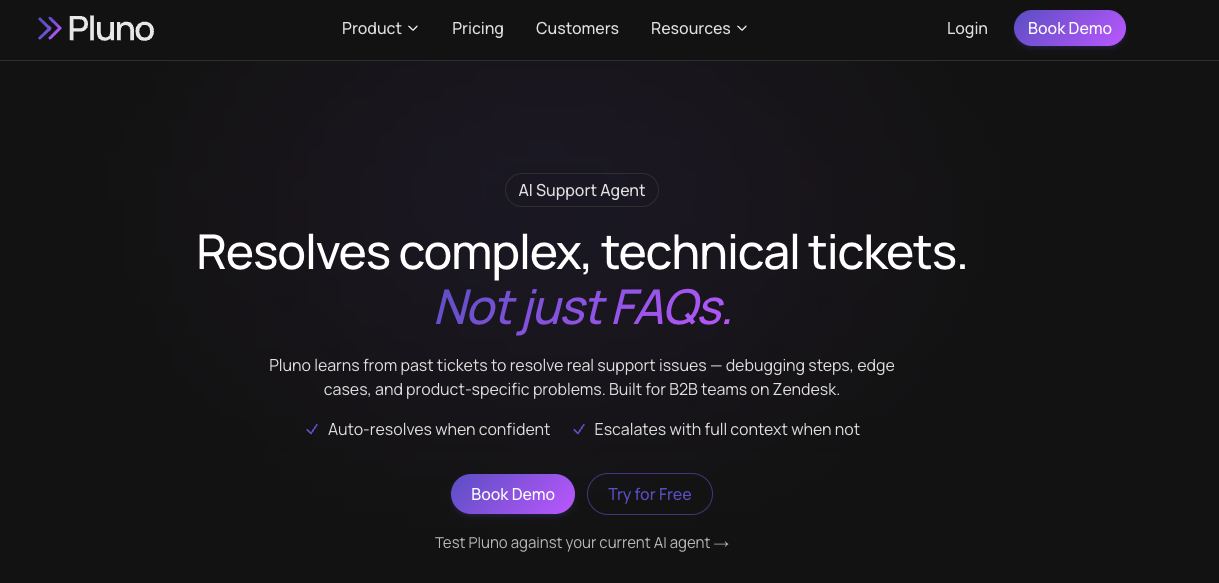
What it is. Pluno is an AI support agent for complex, technical tickets that works inside Zendesk, Intercom, Salesforce, HubSpot, Jira Service Management, and Freshdesk. It learns from your resolved support tickets, which is what lets it handle issues the help center never documented, the kind of edge cases B2B SaaS teams see when the product moves faster than the docs.
Best for. B2B SaaS and technical support teams on Zendesk, Intercom, Salesforce, HubSpot, Jira Service Management, or Freshdesk whose hardest tickets need product and engineering context. The buyer's choice of AI layer is native AI or Pluno.
Strengths. Its Deflection AI resolves autonomously across email, web, and messaging; its AI Copilot drafts agent-reviewed replies inside the helpdesk; and for engineering-bound tickets, its Troubleshooting Agent investigates across logs, Sentry, and Linear while its Escalation Copilot syncs the ticket two ways into Slack, Jira, Linear, Microsoft Teams, or incident.io. When it is unclear, it escalates with context rather than forcing a close.
Where it falls short. Fit. Pluno is built for B2B SaaS and technical support. It is not designed for high-volume consumer or transactional deflection, nor is it an internal IT or ITSM desk.
Pricing. A platform fee from €249 a month, based on average ticket volume, plus €0.90 (about $0.98) per autonomous resolution. To see whether it resolves your hardest tickets, book a Pluno demo and run it on your own resolved tickets.
6. Pylon
What it is. Pylon is a B2B-native help desk with AI, built around Slack and Discord support channels.
Best for. B2B teams that run support where their customers already are, in shared channels instead of a portal.
Strengths. Its AI and workflows are designed for the B2B model, with account context and product-team collaboration built in.
Where it falls short. Breadth outside its channel focus, and depth on heavy technical troubleshooting.
Pricing. Seat-based.
7. Freshservice
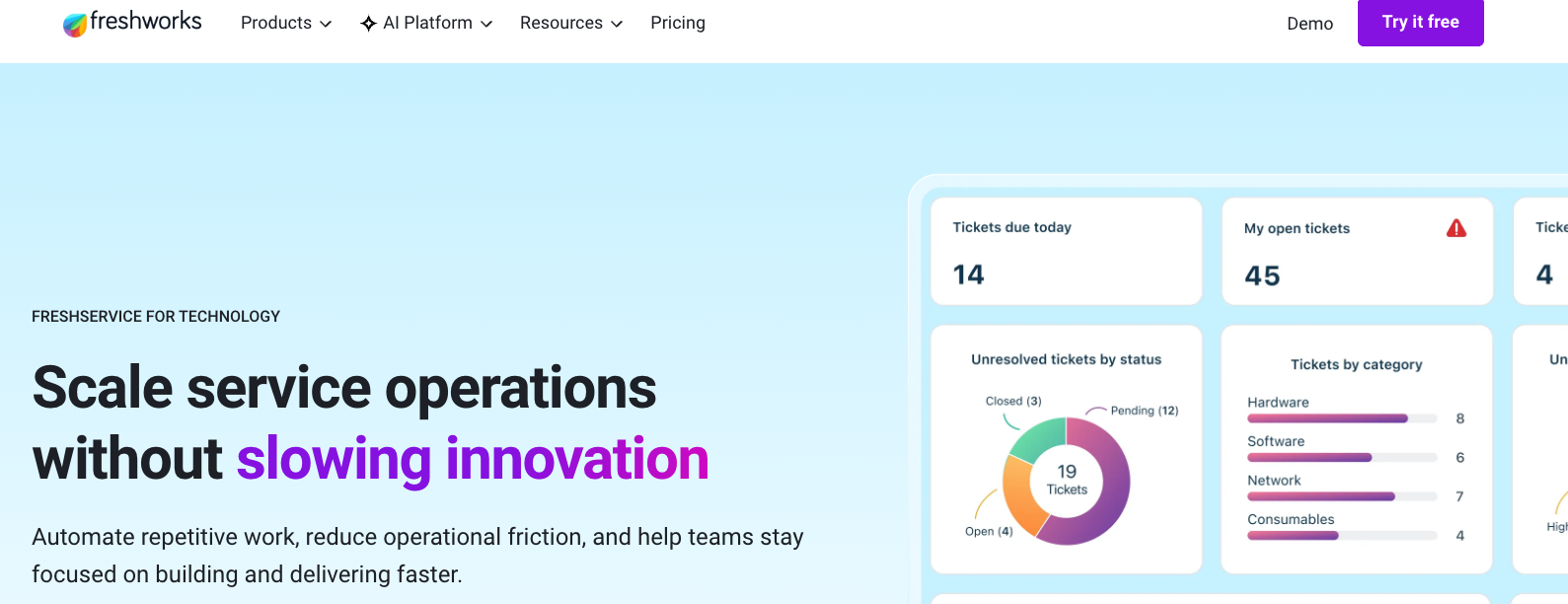
What it is. Freshservice is an ITSM help desk with Freddy AI, aimed at internal IT service management.
Best for. IT teams that want ITIL-aligned service management with minimal setup.
Strengths. Freddy handles routing, categorization, and common IT requests, and the platform covers incidents, changes, and assets in one place.
Where it falls short. External customer support, which is not its lane.
Pricing. Agent plans plus AI usage.
8. SysAid
What it is. SysAid is an internal IT service desk with AI woven through its ITSM workflows.
Best for. IT teams that want AI assistance on incidents, requests, and asset management.
Strengths. IT-specific automation and a long track record in service management, with agentic features layered onto a mature ITSM core.
Where it falls short. Customer-facing CX, which it does not target.
Pricing. Quote-based.
9. Jira Service Management or Atera
What they are. Two internal-IT options. Jira Service Management ties ITSM to engineering work in the Atlassian stack. Atera bundles ticketing with remote monitoring and management for IT teams and MSPs.
Best for. Jira Service Management suits dev-heavy organizations that already live in Jira; Atera suits MSPs and lean internal IT that want monitoring and ticketing in one place.
Strengths. Jira Service Management keeps service requests next to the engineering issues that resolve them; Atera adds AI copilots and script generation for endpoint fixes.
Where they fall short. External customer support, which sits outside both designs.
Pricing. Agent-based for Jira Service Management, device-based for Atera.
How to choose the right AI ticketing system
Choose an AI ticketing system by matching four factors: your buyer type, your ticket complexity, your team size, and how you will measure resolution quality and cost. Work through them in order.
-
Buyer type. Start with the desk you run. If your tickets come from external customers, choose from the customer support tools and ignore the IT list. If they come from employees or managed clients, choose from the IT and ITSM tools.
-
Ticket complexity. If most of your volume is FAQ and transactional, a help-center-grounded agent resolves a large share cheaply. If your hard tickets are technical, integration, or product-specific, you need a system that learns from resolved support tickets and reaches into engineering context, since documented answers alone will not cover them. On a Zendesk stack, the choice is native Zendesk AI or Pluno, and Pluno's Zendesk AI comparison lays out the tradeoff.
-
Team size. Smaller teams should favor fast time to value over configuration-heavy platforms. Larger teams can absorb the setup that enterprise suites require.
-
How you measure success. Decide your metric before you buy, then test for it. Run a shortlisted tool against your own historical resolved tickets and check whether it resolves your hardest cases correctly, instead of trusting a published deflection rate. Watch billing mechanics at the same time, since per-resolution, per-seat, and platform models diverge sharply at volume.
The bottom line
-
Decide your buyer type before anything else. Customer support and internal IT are different tool categories, and picking the wrong lane wastes the evaluation.
-
Judge tools on resolution quality and billing mechanics. Headline deflection rates are the wrong yardstick on their own. Ask whether a tool verifies what it resolved and escalates with context when unsure.
-
Match the tool to your ticket complexity. FAQ-heavy volume suits help-center-grounded agents; technical B2B tickets need a system that learns from resolved support tickets and contextualizes them for engineering.
-
Test on your own tickets. Run a shortlist against your real historical resolved tickets before you sign, so you buy on evidence instead of a demo.
-
If you run B2B SaaS support on Zendesk, Intercom, Salesforce, HubSpot, Jira Service Management, or Freshdesk and your hard tickets are technical, test an AI layer on your own resolved tickets before you commit. See how Pluno resolves your real tickets and book a Pluno demo.
Frequently asked questions
What is generative AI ticketing? Generative AI ticketing uses generative models to understand a ticket and produce a natural-language reply or resolution. It differs from older answer bots that match keywords and suggest articles. The generative layer can draft context-specific responses and attempt resolutions, which is why accuracy depends on the knowledge it learns from.
Will AI replace help desk agents? No. AI ticketing systems handle repetitive, documented volume and assist agents with drafting and triage, but human agents still handle complex, sensitive, and edge-case tickets. The practical outcome is fewer routine tickets reaching agents and more of their time spent on the cases that need judgment.
How do you measure the effectiveness of an AI ticketing system? Measure resolution quality first: the share of tickets it resolves, verified by tags you can audit, and how safely the system escalates when unsure. Then track first-response and resolution time, deflection with CSAT held steady, and cost per ticket. If deflection climbs while CSAT drops, treat that as a warning sign to act on.
Is an AI ticketing system secure? Security depends on the vendor. Look for SOC 2 Type II, GDPR compliance, and a published data processing agreement, and check how the vendor processes your data and whether it trains models on it. Confirm the specifics in the vendor's own documentation before you commit.
How long does an AI ticketing system take to implement? It varies by tool and how you configure it. Systems that learn from your existing resolved tickets can show useful results in days, since they do not need decision trees built by hand. Configuration-heavy tools that rely on manually written procedures or flows take longer to reach the same coverage.