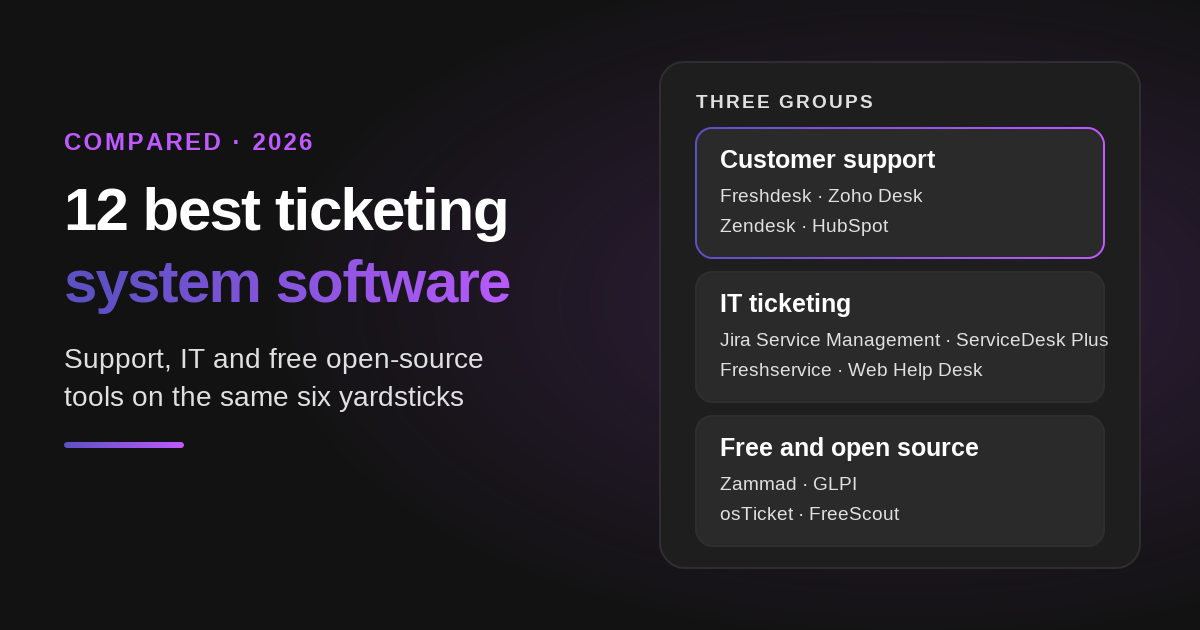
Ticketing system software decides whether a customer's email becomes a tracked promise or a lost thread. The trouble is that "ticketing system" means three different products in the search results: support desks for customers, IT service desks for employees, and free open-source tools you run on your own server. I compared twelve of them, four from each group, on the same six yardsticks.
The biggest surprise is how far apart the "real" prices sit. ManageEngine ServiceDesk Plus includes SLA management in a Standard edition that's free for five technicians. Zendesk lists SLAs from Suite Professional at $115 per agent a month. osTicket, Zammad, FreeScout and GLPI cost nothing to license, but someone on your team becomes their host.
Where Pluno fits: Pluno isn't a ticketing system. It's the AI agent for complex support that runs inside Zendesk, Intercom, Salesforce Service Cloud, HubSpot, Jira Service Management and Freshdesk, four of the twelve tools below. Whichever of those you run, Pluno resolves, drafts and escalates tickets inside it, so fewer of them ever wait in a queue.
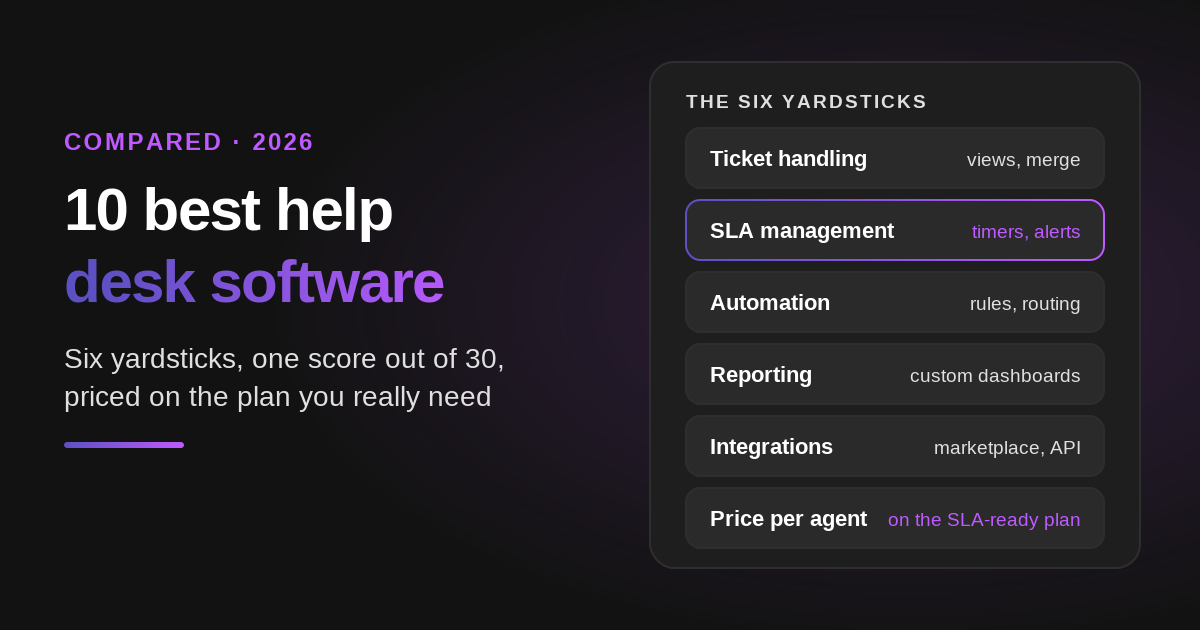
I wrote this for support leads, IT managers and ops people at companies with 3 to 100 agents who are choosing their first ticketing system or replacing one they've outgrown. Every tool gets the same six yardsticks, scored 1 to 5, for a total out of 30:
- Ticket workflow: statuses, merging, linked tickets, internal notes, macros and how clean the agent view is.
- SLAs: first reply and resolution targets with breach alerts, and the first plan that includes them.
- Self-service portal: a portal or help center where requesters submit and track tickets and find answers.
- Automation and routing: event and time rules, plus automatic assignment by round robin, load or skill.
- Setup and upkeep: 5 for a cloud tool you switch on, lower when you install, host, patch and back it up yourself.
- Price: the cheapest plan that includes SLAs, per agent a month, billed annually. 5 for free or under $15, 4 for $15 to $39, 3 for $40 to $69, 2 for $70 to $109 and 1 for $110 or more.
Every score comes from the vendor's own pricing page, plan comparison and documentation, and every price was fetched on 27 November 2026. Scores measure what a plan includes and how high you must climb to get it. They aren't hands-on benchmarks of speed or support quality.
Disclosure: I work at Pluno. No vendor paid to be included.
TL;DR
- Best ticketing system software for customer support: Freshdesk (25/30). Customer portal on every plan, and SLA policies, round robin and custom dashboards together on Pro at $55 per agent a month.
- Cheapest customer support ticketing system with SLAs: Zoho Desk (24/30). Four SLA policies on Standard at $14 per user a month for up to 5 users, and free for 3 users.
- Deepest support workflow: Zendesk (24/30). Strongest automation and marketplace, with SLAs from Suite Professional at $115.
- Best IT ticketing system: Jira Service Management (26/30). Free for 3 agents with a portal, and SLAs counted in every agent seat.
- Best free IT ticketing system: ManageEngine ServiceDesk Plus (25/30). SLAs and load balancing in a Standard edition that's free for 5 technicians.
- Best free, open-source ticketing system: Zammad (24/30). Free to self-host, or €16 per agent a month hosted with SLAs.
- Best AI agent for these ticketing systems: Pluno. It learns from past tickets to resolve the complex tickets built-in AI hands to agents, inside Zendesk, HubSpot, Jira Service Management and Freshdesk, for €0.90 per resolved ticket with escalations never billed.
- Key data point: the first plan with SLAs ranges from free (up to 5 technicians on ManageEngine, or self-hosted open source) to $115 per agent a month. On a cloud plan, 10 agents pay from about $129 (ManageEngine Cloud Standard) to $1,150 (Zendesk Suite Professional) a month for the same core feature.
- Bottom-line advice: pick the group first (customers, employees or self-hosted), then compare the plan that includes SLAs. Before you pay for a ticketing system's own AI, book a demo and see Pluno on your last 50 tickets.
What is ticketing system software?
Ticketing system software turns every request into a ticket: one record with an ID, a requester, an owner, a status and a deadline. Instead of a shared inbox where two people answer the same email and nobody answers the next one, the team works one queue where every request has exactly one owner.
The ticket keeps the whole history in one place. Replies, internal notes, attachments and linked bugs stay attached, so whoever picks it up next doesn't start from zero.
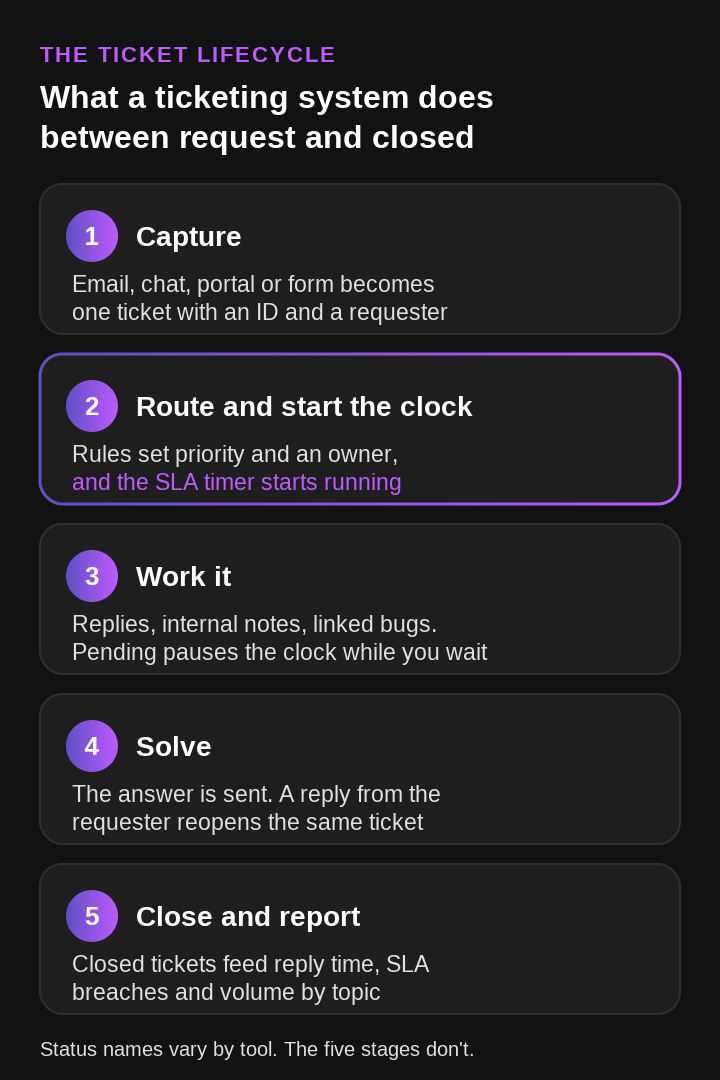
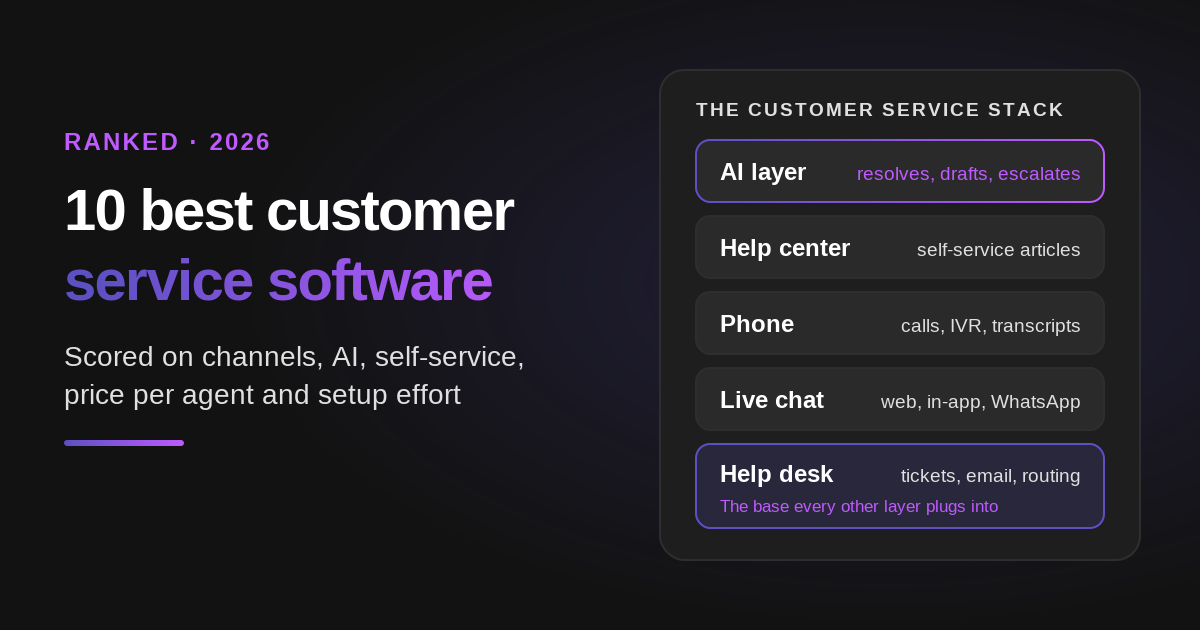
A help desk ticketing system adds what a team needs around that core: SLA timers, routing rules, a help center and reports. Most products sold today are both, which is why "help desk" and "ticketing" get used for the same tools. My guide to help desk software goes deeper on the support-only side, and my breakdown of AI ticketing systems covers what AI changes inside the ticket.
Customer support, IT or open source: which ticketing system do you need?
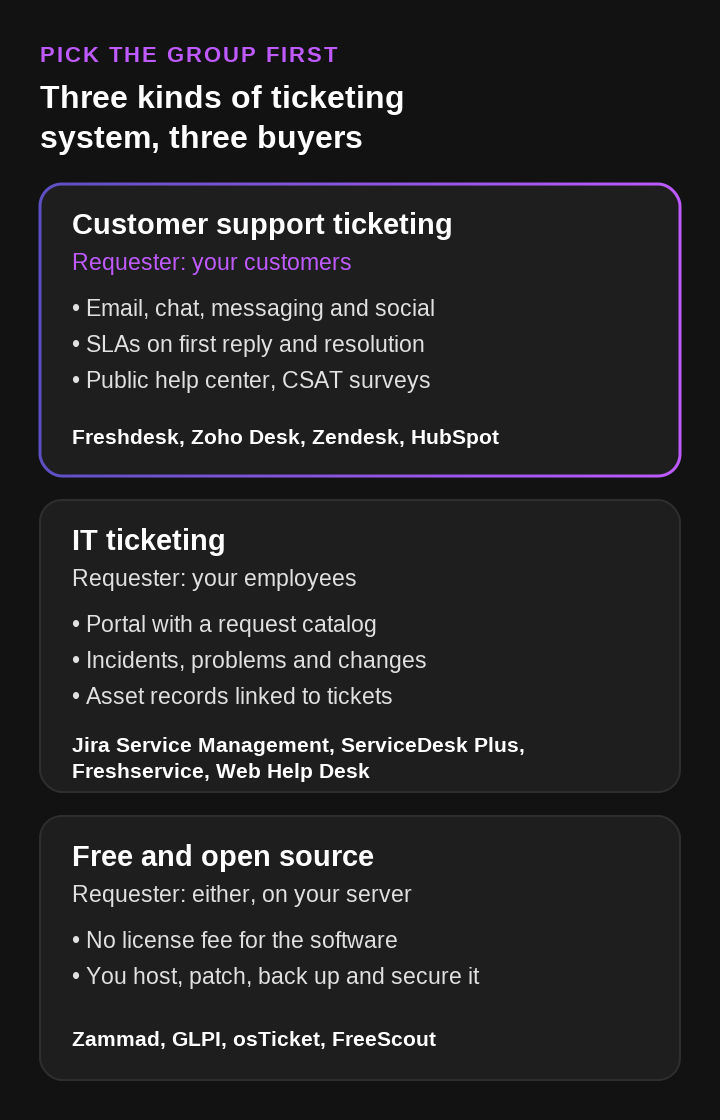
Choose by who sends the ticket and who will run the server. That one question removes two thirds of this list before you compare a single feature.
- Customer support ticketing software serves people outside your company. It needs email, chat and messaging, a public help center, SLAs on first reply and CSAT surveys.
- IT ticketing software serves your employees. It needs a request portal and catalog, approvals, asset records, and incident, problem and change processes.
- Free and open-source ticketing systems can serve either. You trade the license fee for the work of hosting, upgrading and securing the software yourself.
The groups blur at the edges. Jira Service Management also serves customers, and Zammad runs plenty of customer support desks. But a team that picks from the wrong group usually feels it within a quarter: an IT tool without live chat, or a support tool with no way to track a laptop.
The best ticketing system software in 2026, compared
Jira Service Management has the highest score, and Freshdesk and ManageEngine ServiceDesk Plus follow one point behind. Price and the portal decide most of the gaps: Zendesk has the best workflow and automation scores, but its SLA plan costs eight times Zoho Desk's.
| Review # | Ticketing system | Group | Workflow | SLAs | Portal | Automation | Setup | Price | Total /30 | First plan with SLAs (annual, per agent a month) |
|---|---|---|---|---|---|---|---|---|---|---|
| 1 | Freshdesk | Support | 4 | 4 | 5 | 4 | 5 | 3 | 25 | Pro $55 |
| 2 | Zoho Desk | Support | 3 | 5 | 4 | 3 | 5 | 4 | 24 | Standard $14 (up to 5 users), Professional $23 |
| 3 | Zendesk | Support | 5 | 4 | 4 | 5 | 5 | 1 | 24 | Suite Professional $115 |
| 4 | HubSpot Service Hub | Support | 4 | 3 | 3 | 4 | 4 | 2 | 20 | Professional $90 + $1,500 onboarding |
| 5 | Jira Service Management | IT | 4 | 5 | 5 | 4 | 4 | 4 | 26 | Free for 3 agents, Standard $21.50 (monthly) |
| 6 | ManageEngine ServiceDesk Plus | IT | 3 | 5 | 4 | 4 | 4 | 5 | 25 | Standard, free for 5 technicians |
| 7 | Freshservice | IT | 4 | 4 | 4 | 4 | 5 | 3 | 24 | Growth $49 |
| 8 | SolarWinds Web Help Desk | IT | 3 | 4 | 3 | 3 | 2 | 3 | 18 | $533 per technician a year (about $44 a month) |
| 9 | Zammad | Open source | 4 | 4 | 4 | 4 | 3 | 5 | 24 | Free self-hosted, hosted Professional €16 |
| 10 | GLPI | Open source | 3 | 4 | 3 | 3 | 2 | 5 | 20 | Free self-hosted, cloud €19 per agent |
| 11 | osTicket | Open source | 3 | 4 | 3 | 2 | 2 | 5 | 19 | Free self-hosted, hosted from $12 |
| 12 | FreeScout | Open source | 3 | 3 | 3 | 3 | 2 | 5 | 19 | Free, plus a $5.99 one-time SLA module |
Two notes on the table. Jira Service Management's prices are Atlassian's monthly list prices, because its annual prices come from a calculator that depends on your agent count. Zoho Desk is scored on Professional, because Standard stops at 5 users and this guide is for teams of up to 100. The open-source tools score 5 on price because the license is free, and their real cost shows up in the setup column and in the calculator below.
These yardsticks weigh the portal, hosting effort and price more heavily than my help desk software ranking, which scores support desks only on reporting and integrations instead. That's why Zendesk leads there and Freshdesk leads here. For a customer-support-only ranking, use that guide.
The AI layer for four of these ticketing systems: Pluno resolves tickets inside Zendesk, HubSpot, Jira Service Management and Freshdesk for €0.90 per resolved ticket. More below.
The 4 best customer support ticketing systems
These four serve customers outside your company. Each review follows the same order: what it is, how it scores, and who should buy it.
1. Freshdesk: best customer support ticketing software overall
Freshdesk wins the support group because nothing important is locked far up the price list, and its SLA plan has no user cap. Every plan includes a customer portal and a help center, and Pro adds SLAs, fair assignment and custom dashboards in a single step.
- Ticket workflow (4/5): ticket views, canned responses and ticket dispatch on every plan. Growth is sold as email support plus the portal; more channels sit in Freshdesk Omni.
- SLAs (4/5): "Multiple SLA policies" from Pro, not on Growth (Freshdesk pricing).
- Portal (5/5): customer portal and help center on all plans, with multilingual content and forums from Pro.
- Automation and routing (4/5): automations on every plan, round robin and load-balanced assignment from Pro, skill-based assignment on Enterprise.
- Setup (5/5): cloud, with a 14-day trial of the Enterprise plan.
- Price (3/5): Growth $19, Pro $55 and Enterprise $89 per agent a month, billed annually. Every plan includes the first 500 Freddy AI Agent sessions, then sessions cost $49 per 100. Freddy AI Copilot is $29 per agent a month on Pro and Enterprise.
Best for: support teams of 5 to 50 that need SLAs and a portal without an enterprise contract. Watch out for: AI billed by session, which counts conversations the bot hands off as well. My Freshdesk pricing guide runs those numbers.
2. Zoho Desk: cheapest customer support ticketing system with SLAs
Zoho Desk gets you a real SLA setup for the price of a lunch. Standard includes four SLA policies, five workflow rules per module and 50 custom reports for $14 per user a month.
- Ticket workflow (3/5): solid views and macros, with channels spread across plans. Email and web forms come first, instant messaging from Standard and telephony from Professional.
- SLAs (5/5): a default SLA on Free and Express, 4 policies on Standard, 10 per department on Professional (Zoho Desk plan comparison).
- Portal (4/5): a self-service help center on every plan, Free included. Multilingual help centers start on Professional.
- Automation and routing (3/5): assignment rules from Express. Round robin starts on Professional and skill-based assignment on Enterprise.
- Setup (5/5): cloud, with a 15-day trial and no card.
- Price (4/5): Free for 3 users, then Express $7, Standard $14, Professional $23 and Enterprise $40 per user a month, billed annually. Standard is capped at 5 users, so it's scored on Professional.
Best for: small teams that need SLAs now and can live without round robin for a while. Watch out for: the 5-user cap on Standard, which pushes a growing team to Professional at $23.
3. Zendesk: deepest customer support workflow
Zendesk has the most flexible triggers, automations and views in the support group, and one of the largest app marketplaces. It drops to third only because SLAs live on its $115 plan.
- Ticket workflow (5/5): "email and ticketing system" on Support Team, with messaging, live chat, telephony and social channels from Suite Team.
- SLAs (4/5): "Service level agreements (SLA)" start on Suite Professional (Zendesk pricing).
- Portal (4/5): one help center from Suite Team. Up to five help centers, community forums and a customer portal on Suite Professional.
- Automation and routing (5/5): automations and triggers on every plan, routing by status and capacity from Support Team, and by skill and priority on Suite Professional.
- Setup (5/5): cloud, with a 14-day trial of Suite Professional.
- Price (1/5): Support Team $19, Suite Team $55 and Suite Professional $115 per agent a month, billed annually. Plans include 5 or 10 automated resolutions per agent a month, then $1.50 each committed or $2.00 pay-as-you-go. Copilot is a $50 add-on from Professional.
Best for: teams heading past 20 agents that want every channel in one place. Watch out for: the jump from $55 to $115 when you need SLAs. My Zendesk competitors list compares the alternatives.
4. HubSpot Service Hub: best if your CRM is HubSpot
HubSpot Service Hub puts the ticket next to the deal, the marketing emails and the account history. That context is the reason to buy it. The help desk features most teams expect start on Professional.
- Ticket workflow (4/5): a help desk workspace with email, live chat, Messenger and calling.
- SLAs (3/5): SLA goals need Service Hub Professional or Enterprise (HubSpot SLA goals).
- Portal (3/5): a knowledge base and customer portal from Professional, none on Starter.
- Automation and routing (4/5): round robin, load-balanced and skill-based routing on Professional and Enterprise, plus event-based workflows from Professional.
- Setup (4/5): cloud, but Professional carries a $1,500 one-time onboarding fee.
- Price (2/5): Free for 2 users. Professional $90 per seat a month billed annually, Enterprise $150 plus $3,500 onboarding (Service Hub pricing). Customer Agent uses 50 HubSpot credits per resolved conversation.
Best for: teams whose sales and marketing already run in HubSpot. Watch out for: the onboarding fee and the gap between Starter and Professional. See Zendesk vs HubSpot for the head-to-head.
The 4 best IT help desk ticketing systems
An IT help desk ticket system serves employees. It needs a portal with a request catalog, approvals and asset records, which customer support tools only imitate.
5. Jira Service Management: best IT ticketing system
Jira Service Management is the top scorer on this list. Its free plan includes a portal, email and chat for 3 agents, and incidents link straight to the Jira work that fixes them.
- Ticket workflow (4/5): queues, request types and requests from email, Microsoft Teams, Slack, a widget or the portal.
- SLAs (5/5): SLA goals and metrics on every plan, Free included (Atlassian SLA docs, Jira Service Management pricing).
- Portal (5/5): a customer portal and embedded knowledge base on Free, a custom-branded help center from Standard.
- Automation and routing (4/5): 1,250 automation steps a month on Free, then 3,000, 6,500 and 9,500 per user on Standard, Premium and Enterprise. Assignment rules support balanced workload and round robin.
- Setup (4/5): cloud, but Atlassian now sells it only inside its Service Collection with Customer Service Management, Assets and Rovo (Service Collection licensing). There's a lot to configure.
- Price (4/5): Free for 3 agents, Standard $21.50 and Premium $55.28 per agent a month on monthly billing. The virtual service agent comes with Premium, including 1,000 assisted conversations a month, then from $0.30 each.
Best for: IT and internal service teams that sit next to engineering. Watch out for: usage-based billing, which Atlassian's pricing page says starts on 3 December 2026.
6. ManageEngine ServiceDesk Plus: best free IT ticketing system
ManageEngine ServiceDesk Plus is the best value in the IT group. Its Standard edition, free for up to 5 technicians, already includes SLA management, automatic dispatch, load balancing, a knowledge base and a self-service portal.
- Ticket workflow (3/5): incident and request handling with a technician console that shows its age next to the cloud-native tools.
- SLAs (5/5): SLA management in all three editions (ServiceDesk Plus editions).
- Portal (4/5): self-service portal and knowledge base in every edition.
- Automation and routing (4/5): automatic dispatch and load balancing in every edition. Problem, change and asset management grow with the edition.
- Setup (4/5): cloud or on-premises, with a 30-day trial.
- Price (5/5): free for 5 technicians on Standard. Cloud Standard starts at $1,545 a year for 10 technicians, about $13 per technician a month (ServiceDesk Plus pricing). Professional and Enterprise start at $645 and $1,595 a year for two technicians and 250 assets.
Best for: small IT teams that want ITIL processes on a tight budget. Watch out for: asset counts that drive the price on Professional and Enterprise.
7. Freshservice: best IT ticketing system for a quick rollout
Freshservice is Freshworks' IT service desk. It covers ITIL incident, problem and change management in a package that a small IT team can switch on in a week rather than a quarter.
- Ticket workflow (4/5): email, phone, chat and a widget on every plan, plus a ServiceBot in Microsoft Teams and Slack.
- SLAs (4/5): SLA management from Growth, not on Starter (Freshservice pricing).
- Portal (4/5): a support portal on every plan, with the service catalog from Growth.
- Automation and routing (4/5): the Workflow Automator and round-robin assignment on every plan, routing by availability and load from Pro.
- Setup (5/5): cloud, with a 14-day trial.
- Price (3/5): Starter $19, Growth $49 and Pro $99 per agent a month, billed annually. Freddy AI Copilot is a $29 add-on on Pro and Enterprise.
Best for: mid-size IT teams that want ITIL without hiring a platform admin.
8. SolarWinds Web Help Desk: best on-premises IT ticketing system
SolarWinds Web Help Desk is for IT teams that need the software inside their own network. It runs on-premises only and combines ticketing with asset management.
- Ticket workflow (3/5): email-to-ticket conversion and a web console for technicians.
- SLAs (4/5): SLA tracking, alerts and SLA reporting.
- Portal (3/5): a knowledge base for employees, with fewer self-service options than the cloud tools.
- Automation and routing (3/5): routing rules by request type, location, department or priority, plus escalations and alerts.
- Setup (2/5): you install and run it. SolarWinds sells it on-premises, with "no third-party cloud dependency".
- Price (3/5): an annual subscription per technician, from $533 a year for 1 to 5 technicians down to $320 for 501 or more (Web Help Desk pricing).
Best for: regulated or air-gapped IT teams already running SolarWinds monitoring. Watch out for: no cloud option and no AI features on its product page.
The 4 best free and open-source ticketing systems
These four have no license fee. You pay instead with a server and the hours to run it, unless you buy the vendor's hosted plan.
Commercial tools have free tiers too, with tight limits. Here's how the free options compare:
| Free option | Who it's for | Limit | SLAs included |
|---|---|---|---|
| ManageEngine ServiceDesk Plus Standard | IT | 5 technicians | Yes |
| Zoho Desk Free | Support | 3 users | Default SLA only |
| Jira Service Management Free | IT and support | 3 agents | Yes |
| HubSpot Service Hub Free | Support | 2 users | No |
| Zammad, osTicket, FreeScout, GLPI (self-hosted) | Either | No agent limit | Yes (FreeScout via a $5.99 module) |
9. Zammad: best free, open-source ticketing system
Zammad is the most modern of the open-source tools. Its interface, channels and automation feel closest to a commercial support desk, and it has the most complete hosted option in this group, with SLAs on Professional at €16.
- Ticket workflow (4/5): email, web forms, SMS, chat, Telegram, Facebook and WhatsApp, plus phone integrations.
- SLAs (4/5): on the hosted Professional plan and up (Zammad pricing).
- Portal (4/5): a knowledge base from Professional, in several languages on Plus.
- Automation and routing (4/5): triggers, schedulers and macros from Starter, and Core Workflows on Plus.
- Setup (3/5): self-host the free community edition, or let Zammad host it.
- Price (5/5): free to self-host. Hosted plans cost €7 (Starter, up to 5 agents), €16 (Professional, up to 35 agents) and €25 (Plus) per agent a month, billed annually. Optional AI costs €0.03 per call.
Best for: teams that want open source without giving up a modern agent experience.
10. GLPI: best open-source IT ticketing system with assets
GLPI started as an IT asset tool and grew a service desk around it. That history shows: its asset inventory and CMDB are the reason to choose it over the other free options.
- Ticket workflow (3/5): incidents and requests, with service catalog forms.
- SLAs (4/5): SLA targets on incidents and requests.
- Portal (3/5): a self-service interface for employees.
- Automation and routing (3/5): business rules for assignment and categories, extended by plugins.
- Setup (2/5): self-hosted, with paid cloud and support plans from Teclib'.
- Price (5/5): free under GPL v3. GLPI Network Cloud costs €19 per agent a month, and self-hosted support starts at €100 a month for up to 10 technical staff (GLPI pricing).
Best for: IT teams that care as much about devices and licenses as about tickets.
11. osTicket: best-known free ticketing system
osTicket is the open-source classic, and it ranks on page one for "ticketing system software" itself. It's simple and dependable, and it shows its age next to Zammad.
- Ticket workflow (3/5): tickets from email, web forms and the API, with help topics, departments and canned replies.
- SLAs (4/5): "an unlimited number of SLA Plans" with overdue alerts.
- Portal (3/5): a customer support portal for submitting and checking tickets.
- Automation and routing (2/5): ticket filters route tickets to departments and agents, plus auto-responders. There's little beyond that.
- Setup (2/5): self-hosted PHP, or the hosted edition run by SupportSystem.
- Price (5/5): free under GPL v2. The cloud-hosted edition starts at $12 per agent a month (osTicket editions).
Best for: small teams with a server and someone comfortable maintaining PHP. Watch out for: limited automation, which a commenter below also notes.
12. FreeScout: best free shared-inbox ticketing system
FreeScout is a free help desk ticket system that feels like a shared inbox. The core is free with unlimited agents and mailboxes, and you buy one-time modules for the features you need.
- Ticket workflow (3/5): email-first conversations with assignments and notes, plus WhatsApp, Telegram, Facebook, live chat and SMS through modules.
- SLAs (3/5): an SLA module for $5.99, one time, per instance.
- Portal (3/5): an End-User Portal module for $12.99 and a Knowledge Base module for $12.
- Automation and routing (3/5): a Workflows module for $14.99. No first-party round-robin module.
- Setup (2/5): self-hosted only. It runs even on shared hosting.
- Price (5/5): free under AGPL-3.0, with lifetime module licenses (FreeScout modules).
Best for: small, email-first teams that want Help Scout's feel without a monthly bill.
Is a free ticketing system really free? Run the numbers
A free ticketing system is free to license, not free to run. Someone has to apply upgrades and security patches, keep backups, fix email delivery and add users. For a small team, those hours often cost more than a paid cloud plan.
Set your own numbers below. The default paid price is Freshdesk Pro's $55 per agent a month, the cheapest Freshdesk plan with SLAs.
Free vs paid ticketing system: monthly cost
Self-hosted = server or hosting + monthly admin hours × hourly cost + setup hours × hourly cost ÷ 12 (setup spread over the first year). Paid cloud = agents × price per agent a month. Admin time covers upgrades, security patches, backups, email and mail-server issues and user management. It leaves out paid add-ons, plugins and support contracts. Use your own numbers, not benchmarks.
Self-hosted free license
$600
A month, first year
Paid cloud plan
$440
8 × $55 a month
Break-even team size
11 agents
Above this, self-hosting costs less
At 8 agents, the "free" system costs about $160 a month more than the paid plan once you count the admin time. Small teams usually save by paying.
Three things decide the answer:
- Who owns the server. If an engineer already runs your infrastructure, the admin hours are cheap. If nobody does, they turn into an outage when the ticketing system breaks.
- Team size. Self-hosting costs about the same for 3 agents or 30, while cloud plans scale per agent. The break-even point drops as the paid price rises.
- Paid add-ons. FreeScout's modules, Zammad's support contracts and GLPI's subscriptions turn "free" into a small bill, which is still often far below a cloud plan.
How to choose ticketing system software in 5 steps
The fastest way to choose is to test the plan, not the brand. Work through these five steps before you book a sales call.
- Name the requester. Customers, employees or both. That picks your group from the table above.
- List the three features you can't work without. For most teams that's SLAs, automatic assignment and a portal or help center. My guide to what an SLA means in support helps you set the targets.
- Find each vendor's cheapest plan that includes all three. That's your real price. The difference between the headline price and this price was up to $96 per agent a month in my research.
- Decide who hosts it. Cloud if nobody on your team wants a server. Self-hosted if you need the data on your own network or the budget is zero.
- Run a two-week pilot on real tickets. Forward one mailbox, build your top five macros and routing rules, and watch where agents get stuck.
Then treat the AI as a separate decision. Ticketing systems price their own AI per resolution, per session or per credit, and the same AI rarely works if you switch tools later.
What teams say about their ticketing systems
These comments come from Hacker News, where IT, support and engineering leads talk about the tools they run. They date from 2021 to 2026 and form a small, self-selected sample, so read them as color, not as a verdict.
“I'm currently using OsTicket (PHP) with a small team. Pretty happy with it but could use more automation. What I like best about OsTicket is that I was able to configure it completely transparent, there are no auto-messages sent to users and no reference numbers of boilerplate in outbound messages.”
“Every time I build something long-term with at least 3 people, I check if we can use Zammad. It's opensource, I know how to get a complete setup in 3 hours, the design and perf are nice.”
“Freescout is really good. Been using it for 2 years with a team of 5-6. Highly recommended.”
“An org I support recently went down the rabbit hole of looking for self-hosted ticketing for an IT service desk. Time accounting was a requirement and a deal-breaker with nearly every product they looked at, both free/open-source and commercial. (They ended up sticking with the Solar Winds Web Help Desk that they'd previously been using, even though the quality of the product seems to be diminishing.)”
“If I could switch back to Freshservice circa 2018, I would do it in a heartbeat. Every change they've introduced since then is perplexing.”
“It's really hard to find any product or suite of products that replaces Atlassians offerings. Sure you can easily find a issue tracker product, but can it be a service desk at the same time? ... People complain a lot about the UI and speed of Atlassians products, but on-prem isn't really slow, even with a ton of plugins, but you do need trained staff to manage it.”
The pattern: people who self-host are happiest when someone on the team enjoys owning the setup, and the frustrations come from missing automation or from a vendor changing the product under them.
Pluno: the AI agent inside your ticketing system
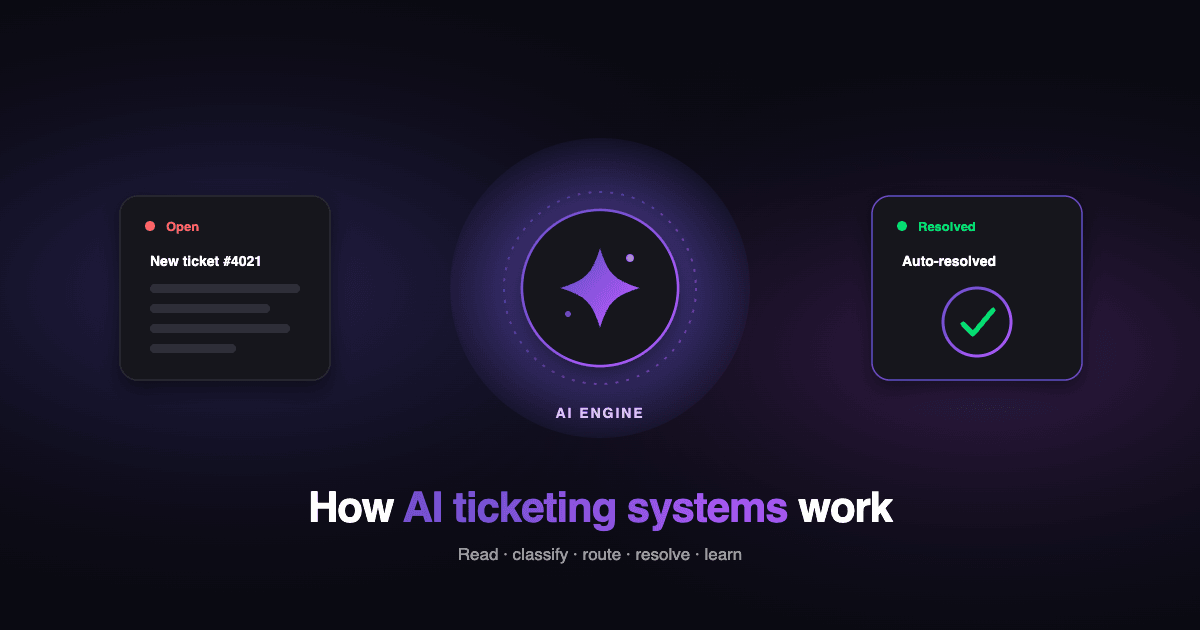
Pluno is the AI agent for complex support. The AI built into a ticketing system mostly knows its help center, so complex tickets still land with agents. Pluno also learns from your past resolved tickets and connected tools to resolve the issues help desk AI can't, and sends bugs to engineering with full context through Escalation Copilot.
It runs inside Zendesk, Intercom, Salesforce Service Cloud, HubSpot, Jira Service Management and Freshdesk. Your ticketing system stays the system of record, with its SLAs, routing rules and reports. Pluno replaces its built-in AI agent and works the tickets inside it.
That's the split this guide keeps apart. The ticketing system decides where a ticket lives and how it's measured. Pluno decides how many tickets still need a person.
| Pluno | Built-in AI in the ticketing systems above | |
|---|---|---|
| Where it runs | Inside Zendesk, HubSpot, Jira Service Management and Freshdesk from this list, plus Intercom and Salesforce Service Cloud | Only inside its own ticketing system |
| What it learns from | Your help center, past resolved tickets (recent cases first) and product documentation through a connected MCP server | Mostly that tool's own help center and content |
| What it bills | €0.90 per resolved ticket, verified before billing. Escalations are never billed, and a reopened ticket isn't billed twice | Per resolution, session, assisted conversation or credit |
| When it can't resolve | Hands the ticket to your team with its findings, and Escalation Copilot writes the escalation for engineering | Hands off to an agent |
Here's what Pluno adds on the yardsticks a ticketing system is measured on:
- Ticket workflow: Deflection AI resolves tickets end to end, and AI Copilot drafts replies for agents inside the ticket.
- SLAs: every ticket Pluno resolves leaves the SLA queue. Agents escalate the rest with Escalation Copilot, which sends a written summary to the tool your engineering team works in, such as Slack, Jira, Linear, Microsoft Teams or incident.io.
- Automation and routing: AI Tagging and Field Filling fills ticket fields, including the assignee, so your routing rules run on clean data.
- Reporting: every AI-resolved ticket is tagged and can be exported, and Quality Assurance scores agent conversations against your criteria.
- Price: a platform fee from €249 a month (€210 a month, billed annually) for up to 500 tickets, plus €0.90 per resolved ticket. AI Copilot is €49 per seat a month. See Pluno pricing.
Starting is light. There's no setup fee and a 14-day free trial with full access to every module and no credit card. Zendesk teams sign up directly. On HubSpot, Jira Service Management and Freshdesk, the Pluno team sets it up with you. The Pluno team also runs a free simulation on your 50 most recent tickets and shows how Pluno would have answered each one before anything goes live.
Pluno has processed 5M+ tickets for 200+ customers. Across customers, the average resolution rate is 65% and the average agent time saved is 48% (customer averages, November 2026). Innovorder reports 67% of chat tickets resolved by AI. Pluno is SOC 2 Type 2 certified, which shortens the security review for anything that touches ticket data.
The bottom line on ticketing system software
Choosing ticketing system software starts with one question: who sends the tickets? For customer support, Freshdesk is the best all-round pick and Zoho Desk the cheapest with SLAs for up to 5 users, while Zendesk has the deepest workflow if you can pay for Suite Professional. For IT, Jira Service Management leads and ManageEngine ServiceDesk Plus is the best free option. For a free, open-source ticketing system, Zammad is the strongest, as long as someone owns the server.
Compare the plan that includes SLAs, automatic assignment and a portal, not the headline price. Then decide on AI separately: Pluno runs inside four of these ticketing systems and bills only for tickets it resolves. If you're still weighing whole platforms, my roundup of customer service software covers the wider stack.
FAQ
What is the best ticketing system?
The best ticketing system for customer support is Freshdesk, which scored 25 of 30 with a portal on every plan and SLAs on Pro at $55 per agent a month. Zoho Desk follows at 24 and is the cheapest with SLAs at $14 for up to 5 users. For IT tickets, the best ticketing system is Jira Service Management at 26 of 30.
What is the best free ticketing system?
The best free ticketing system for IT is ManageEngine ServiceDesk Plus, whose Standard edition is free for 5 technicians and includes SLAs. For customer support, Zoho Desk is free for 3 users and Jira Service Management for 3 agents. Zammad, osTicket, FreeScout and GLPI are free and open source if you host them yourself.
What is a help desk ticketing system?
A help desk ticketing system turns requests from email, chat, forms and phone into tickets with an owner, a status and an SLA deadline. It adds routing rules, a help center and reports around those tickets, so a team can answer every request once and measure how fast it does.
What is customer support ticketing software?
Customer support ticketing software is a ticketing system built for requests from outside customers. It supports email, chat and messaging, a public help center, SLAs on first reply and resolution, and CSAT surveys. Freshdesk, Zoho Desk, Zendesk and HubSpot Service Hub are customer support ticketing systems.
Is Jira a ticketing system?
Jira Software is a work tracker for engineering teams, not a ticketing system for requesters. Jira Service Management is Atlassian's ticketing system: it adds a request portal, queues, SLAs and email intake on top of Jira, and is free for 3 agents.
Is ServiceNow a ticketing system?
ServiceNow includes ticketing, but it's an enterprise platform for IT service management and customer service management sold by quote. That's why it isn't scored here. My Zendesk vs ServiceNow comparison covers when it fits.
How much does ticketing system software cost?
Ticketing system software costs from free to about $150 per agent a month. The first plan with SLAs costs $0 at ManageEngine ServiceDesk Plus (up to 5 technicians), $14 at Zoho Desk, $49 at Freshservice, $55 at Freshdesk, $90 at HubSpot and $115 at Zendesk per agent a month, billed annually.
What's the difference between a ticketing system and a help desk?
A ticketing system tracks requests as tickets. A help desk is the team and the software around those tickets: SLAs, automation, a help center, reporting and integrations. Almost every product on this list is both.