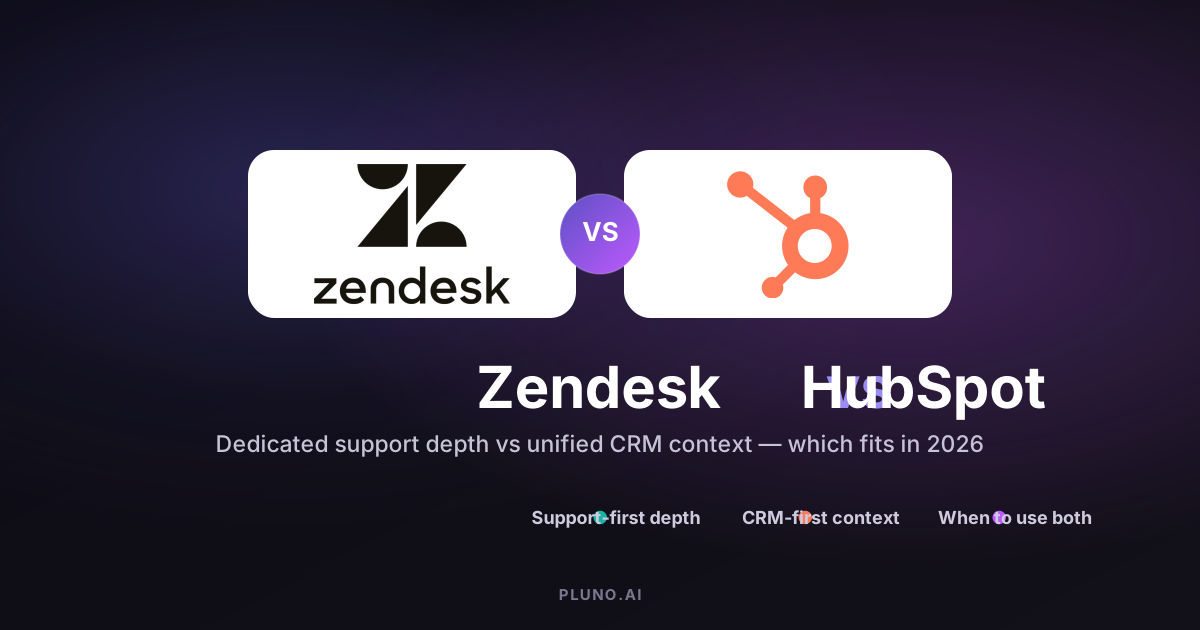
Zendesk and HubSpot solve customer support from opposite directions. Zendesk is a dedicated support platform built around agent workflows, ticket management, and omnichannel service operations. HubSpot is a CRM platform that added its Service Hub to connect support with sales, marketing, and revenue data on the same system. So when buyers weigh HubSpot vs Zendesk, the right choice depends on whether your team needs deep support specialization or unified customer data across departments. If your primary challenge is handling a high volume of complex requests with intricate routing and escalations, Zendesk is typically stronger. If your priority is giving sales and support teams a shared view of the entire customer journey, HubSpot Service Hub usually fits better.
Here is the short version before the detail:
- Choose Zendesk when support operations are your system of record and specialized customer service tools matter most.
- Choose HubSpot Service Hub when CRM context and sales-service alignment matter more than dedicated support depth.
- Use both when sales and marketing live in HubSpot but support needs Zendesk depth — the two integrate directly.
- Add an AI layer (like Pluno) only when tickets regularly require context from past cases, internal tools, or engineering systems.
Below is a practical comparison of both platforms across core features, pricing, ease of use, and scalability.
Zendesk vs HubSpot: Key Platform Differences
The core difference between Zendesk and HubSpot comes down to platform DNA — what each product was originally built to do.
-
Zendesk is a support-first platform. Every capability — from its ticketing system to its AI-powered tools — was designed around the daily work of support agents and service teams.
-
HubSpot is a CRM-first ecosystem. Its Service Hub is one piece of a broader CRM platform that connects marketing, sales, and service interactions on the same customer record.
Both platforms can handle customer requests, live chat, and knowledge bases. But the trade-offs show up quickly: Zendesk offers deeper escalation flows, more advanced routing logic, and stronger omnichannel support. HubSpot offers stronger cross-department visibility, native CRM functionality, and a unified interface for teams that need to track the customer journey from first touch to retention.
Understanding these key differences helps you evaluate which platform matches your team's actual workflows — not just a feature checklist.

Quick Decision Path: HubSpot vs Zendesk
Before comparing feature by feature, map yourself to one of four buyer paths. Most teams fit cleanly into one:
| Your situation | Best fit |
|---|---|
| Support is the operating system of your business; you need specialized customer support depth | Zendesk |
| CRM, marketing, sales, and service alignment matters more than dedicated support depth | HubSpot Service Hub |
| Sales and marketing already live in HubSpot, but support needs Zendesk depth | Both (Zendesk + HubSpot CRM, integrated) |
| Complex tickets need context from past cases, Jira, Slack, internal docs, logs, or account data | Native platform plus an AI layer like Pluno |
Use this as a filter. If two paths feel equally true, the feature, pricing, and scalability sections below will break the tie.
Core Platform Focus and Strengths
How a platform was built affects everything: the initial setup experience, what is easy to configure, what requires workarounds, and where you hit limits as your team grows. A concrete example: standing up conditional SLAs and multi-brand help centers is native to Zendesk but requires more assembly in HubSpot, while surfacing a contact's marketing history next to a ticket is native to HubSpot but requires an integration in Zendesk.
Zendesk: Support-First Platform
Zendesk was founded in 2007 as a customer support tool and has spent nearly two decades refining its approach to service delivery. It is widely regarded as one of the strongest dedicated help desk platforms available, and Zendesk is designed for high-volume customer support.
Key features include:
-
Omnichannel support: Native handling of email, chat, voice (with IVR phone trees), social media, and SMS — all within a unified Zendesk Agent Workspace.
-
Advanced ticket management: Custom fields, dynamic ticket layouts, macros, triggers, and side conversations give agents granular control.
-
Automation and SLAs: Skill-based routing, conditional SLAs (first reply time, time to close), escalation flows, and triggers for complex service processes.
-
Knowledge base and community: Hierarchical article structures (up to six levels), multilingual support, community forums for peer self-service, and AI-driven content gap detection to help teams create searchable articles efficiently.
-
AI add-ons: Copilot, AI Agents, auto-assist, and intelligent triage — though many are paid extras on top of base pricing.
Zendesk shines when customer support is a primary operational focus. Teams dealing with a high volume of requests, multi-brand operations, or complex escalation paths tend to get the most from its depth.
HubSpot: CRM-First Ecosystem
HubSpot provides a comprehensive all-in-one CRM ecosystem. Its Service Hub is built into a platform that already includes Marketing Hub, HubSpot Sales Hub, and Operations Hub. HubSpot emphasizes a unified platform for CRM, marketing, and service.
Key features of HubSpot Service Hub include:
-
Unified customer data: Every support ticket, marketing email, sales call, and deal lives on the same customer record. This gives service teams instant context on the entire customer journey.
-
Customer success tools: Health scores, proactive alerts, NPS, CSAT, and CES surveys for feedback collection — all built natively into the platform.
-
Cross-department workflows: Automation that connects marketing, sales pipelines, and support interactions. HubSpot connects service directly into marketing and sales.
-
Breeze AI: AI features including a Customer Agent for automated resolution and a Knowledge Base Agent for identifying documentation gaps — though these consume credits tied to your plan tier.
HubSpot is suitable for small teams needing a CRM alongside customer service, and for organizations where pipeline tracking, marketing automation, and customer engagement need to live on the same platform as support.
Customer Support Capabilities
Feature lists look similar on paper. The real differences show up when you look at what each platform can actually do when service work gets complex — multi-step escalations, product bugs that need engineering context, or billing disputes that require account history.
Zendesk Support Features
Zendesk's ticketing system categorizes requests automatically and offers deep customization for how support tickets flow through your team:
-
Advanced ticketing: Custom fields, dynamic layouts, custom forms, internal comments, and side conversations. Agents can handle context switching between cases without losing track.
-
Unified agent workspace: A single pane where agents manage customer conversations across email, chat, voice, and social media. Zendesk provides pre-built dashboards integrating data from all channels.
-
AI-powered routing and suggestions: Intelligent triage can classify tickets by intent, language, and sentiment. Auto-assist suggests responses. Zendesk's AI tools include Copilot for agent assistance, offered as a paid add-on.
-
Knowledge base with analytics: Multi-language help centers, hierarchical article organization, and AI tools that detect content gaps and auto-suggest improvements.
-
Workforce management: Add-ons for agent scheduling, quality assurance, and performance optimization — available through the Workforce Engagement Bundle.
For teams with genuinely complex service work — say, a bug report that needs context from Zendesk cases, Jira issues, and product logs — tools like Pluno can layer on top of Zendesk to pull internal documentation, customer history, and escalation paths into a single view. Pluno is not needed for simple FAQ deflection or very small teams; it earns its place only when simple macros and triggers cannot resolve inquiries that span multiple systems.
HubSpot Service Hub Features
HubSpot Service Hub includes a knowledge base for customer self-service and integrates ticketing directly with CRM customer data. HubSpot Service Hub allows for shared customer timelines across teams, so any agent can see prior marketing touches, sales conversations, and support history.
Core capabilities of HubSpot Service Hub include:
-
Ticketing with CRM context: Support tickets automatically link to the customer's full timeline — deals, emails, form submissions, and prior conversations.
-
Multichannel help desk: HubSpot's help desk workspace supports chat, email, forms, calling, custom channels, WhatsApp, and Facebook Messenger on Professional and Enterprise tiers.
-
Feedback and surveys: Built-in NPS, CSAT, and CES surveys. HubSpot includes customer success features like health scores and surveys for proactive retention.
-
Automation: Workflows and routing exist at the Professional tier and above, with some advanced capabilities such as skill-based routing available at Enterprise.
Where HubSpot's service tooling is less specialized than Zendesk: voice and telephony are newer and less deep, and the granularity of routing logic for high-complexity contact-center scenarios does not yet match a platform built purely for support. The fair takeaway is not that HubSpot Service Hub cannot run support — it clearly can — but that Zendesk goes deeper for specialized service operations such as advanced contact-center setup, WFM, QA, and multi-step escalation flows.
CRM and Sales Integration
How well your support platform connects to CRM data affects how much context agents have when they pick up a case. A billing escalation is easier to resolve when the agent can see the customer's subscription tier, recent invoices, and past conversations without switching between multiple tools.
Zendesk CRM Integration
Zendesk Sell is a separate CRM product with native integration to Zendesk Support. Zendesk Sell handles contact management, deal tracking, and pipeline management, but its CRM features are basic compared to Zendesk's support tools, and Zendesk Sell does not natively include marketing tools the way an all-in-one CRM platform does.
Where Zendesk compensates is through its marketplace. Zendesk offers a large app marketplace — more than 1,900 apps at the time of writing — and Zendesk integrates with popular tools like Salesforce and MailChimp. Zendesk's integrations enhance service delivery significantly, letting teams connect their help desk to whatever CRM system they already use. The trade-off: you will likely need to combine several tools to get full CRM functionality, since Zendesk Sell alone is lighter than a dedicated CRM platform.
HubSpot CRM Integration
This is where HubSpot has a clear advantage. HubSpot's CRM integrates sales, marketing, and service tools on a single platform. HubSpot's CRM provides a centralized view of the customer record — every interaction, deal, campaign, and ticket lives in one place.
Key benefits:
-
Native CRM with full pipeline tracking: HubSpot offers a comprehensive CRM with lead tracking and marketing automation. Sales pipelines, deal stages, and revenue data are visible alongside support cases.
-
Native shared platform: When a ticket is created, the customer's marketing engagement, sales conversations, and lifecycle stage are already on the same record. No integration setup required.
-
Revenue reporting: HubSpot's reporting tools cover pipelines and campaign performance, and teams can see how service interactions affect retention and revenue. HubSpot allows customization of dashboards for specific metrics.
HubSpot's CRM tool is free, enhancing its pricing appeal for teams that want customer relationship management alongside service without paying for a separate CRM platform.
Ease of Use and Setup
A platform that requires extensive configuration and a dedicated admin is a different investment than one your team can start using quickly. Both Zendesk and HubSpot have trade-offs here.
Zendesk User Experience
Zendesk's agent-focused interface is designed for support workflow efficiency. The unified agent workspace is well organized for handling customer inquiries across channels, and experienced reps tend to feel at home quickly.
The complexity shows up on the admin side. Configuring sophisticated routing, conditional SLAs, multi-brand help centers, and AI-powered tools takes technical expertise. Teams without a dedicated support operations person may find friction in:
-
Configuring advanced automation rules, triggers, and routing logic
-
Managing integrations across external platforms
-
Fine-tuning AI features like intelligent triage and Copilot
-
Building custom dashboards and reports. Zendesk offers custom reporting options for deeper insights, but getting there takes work.
For larger teams, this investment pays off. For smaller teams, the initial setup can feel like overkill.
HubSpot User Experience
HubSpot is frequently cited for its intuitive, user-friendly interface. If your sales teams or marketing teams already use HubSpot, adding HubSpot Service Hub feels natural — the navigation, workflows, and data model are consistent.
Getting basic support running tends to be quick: shared inboxes, live chat, simple ticketing, and a knowledge base can be configured without a long implementation project. Unified training across marketing, sales, and support teams is easier because everyone uses the same platform.
The costs appear at higher tiers. HubSpot's Professional plan requires a mandatory $1,500 one-time onboarding fee, and the Enterprise tier requires $3,500. Some capabilities that feel basic — like skill-based routing — sit at higher tiers. HubSpot Service Hub also does not appear to offer the same dedicated QA and workforce-management depth as Zendesk's Workforce Engagement or specialist tools, which can be a gap for teams focused on agent performance. For teams that need AI-powered support QA, third-party solutions may be worth evaluating regardless of platform.
Pricing and Total Cost of Ownership
Pricing in support software is rarely as simple as the number on the pricing page. Add-ons, onboarding fees, AI usage costs, and feature locks behind higher tiers all affect the real cost.
Zendesk Pricing Structure
Zendesk offers modular pricing with add-ons for advanced capabilities. Its Suite plan includes four pricing options based on features. Per current Zendesk pricing, billed annually:
| Tier | Monthly Cost (per agent, billed annually) |
|---|---|
| Support Team | $19 |
| Suite Team | $55 |
| Suite Professional | $115 |
| Suite Enterprise + Copilot | Contact sales |
On top of base plans, add-ons include Copilot at $50/agent/month, the Workforce Engagement Bundle at $50/agent/month, and Contact Center at $83/agent/month. Zendesk pricing also includes outcome-based AI pricing, where you pay when AI resolves an interaction. Public self-serve plans are paid, though free trials and startup programs exist. Always confirm current Zendesk pricing directly, because add-ons and AI usage vary by plan.
For a team of 5 agents on Suite Professional at listed annual prices: $115 × 5 = $575/month, or $6,900/year before add-ons.
HubSpot Service Hub Pricing Structure
HubSpot Service Hub pricing includes Free, Starter, Professional, and Enterprise tiers. HubSpot offers a capable free tier for startups and small businesses — $0/month for up to 2 users with basic ticketing, shared inbox, and live chat. The paid HubSpot Service Hub tiers are Starter, Professional, and Enterprise:
| Tier | Monthly Cost (per seat, billed annually) | Onboarding Fee |
|---|---|---|
| Free | $0 (up to 2 users) | None |
| Starter | ~$9/seat | None |
| Professional | ~$90/seat | $1,500 (required) |
| Enterprise | ~$150/seat | $3,500 (required) |
AI features through HubSpot's Breeze Customer Agent consume HubSpot Credits, and availability can be affected when credits run out. HubSpot's integrations focus on CRM and marketing automation, and teams that expand beyond service may need to purchase additional Hubs. Confirm current HubSpot Service Hub pricing directly, since seat prices, included credits, and onboarding fees change.
For a team of 5 seats on Professional at listed annual prices: $90 × 5 = $450/month + $1,500 onboarding = $6,900 first year. After year one, the annual cost drops to $5,400 since onboarding is a one-time fee. These figures exclude taxes, discounts, plan minimums, and AI usage.
The practical takeaway: First-year costs are roughly comparable at the Professional tier. After year one, HubSpot typically costs less per seat. But Zendesk's add-on model means you can start leaner and add capabilities selectively, while HubSpot's mandatory onboarding and credit-based AI usage can create less predictable costs.
Scalability and Advanced Automation
How a platform handles growth — in request volume, team size, geographic reach, and workflow complexity — determines whether you will outgrow it or grow with it.
Zendesk Scalability
Zendesk excels in high-volume ticketing and complex workflows. It was built for enterprise-scale support teams and handles growth through:
-
Advanced routing: Skill-based assignment, round-robin, load balancing, and conditional routing based on ticket attributes.
-
Multi-brand and multilingual support: Separate help centers, custom branding, and content in multiple languages — critical for global operations.
-
Enterprise governance: Sandbox environments, custom agent roles, audit trails, and data residency controls.
-
Scalable automation: Complex trigger chains, scheduled automations, and API-driven processes for teams handling thousands of requests daily.
For teams where ticket complexity (not just volume) is the challenge — say, product issues requiring data from Zendesk, Jira, Sentry, and internal documentation — AI agents like Pluno can handle the context-gathering and summarization that simple triggers cannot. This is most relevant when escalation quality matters: making sure the next person in the chain gets full context rather than a bare ticket number. It is not the right fit for simple FAQ deflection, transactional chat, or very small teams with basic volume.
When the work is straightforward — password resets, order status checks, standard FAQ responses — Zendesk's native AI Agents and deflection tools are typically sufficient without additional layers.
HubSpot Scalability
HubSpot scales well for unified customer operations across departments. Its strength is keeping marketing, sales, and service aligned as organizations grow:
-
Cross-department workflows: A single automation can trigger actions across marketing, sales pipelines, and service based on any customer interaction.
-
Customer success workspace: Health scores, alerts, and proactive retention workflows help success teams identify at-risk accounts.
-
Revenue operations alignment: Service data feeds into pipeline management, revenue attribution, and customer lifetime value calculations.
Where HubSpot is less specialized than Zendesk at scale: deep IVR configurations, complex incident escalation, granular agent-performance analytics, and very high-volume triage lean more on third-party tools. Teams that need specialized service operations at enterprise scale — multi-brand help centers, advanced SLA configurations, dedicated WFM and QA — may find themselves extending HubSpot rather than relying on native capabilities.
Integration Ecosystem
No support platform works in isolation. The real question is how well it connects to the tools your team already uses — and whether you need external platforms to fill gaps. These are the core features buyers usually compare:
| Category | Zendesk | HubSpot |
|---|---|---|
| App marketplace | 1,900+ apps | 1,500+ apps |
| CRM integrations | Salesforce, HubSpot, others | Native (built-in CRM) |
| Engineering tools | Jira, GitHub, Sentry | Jira (via marketplace) |
| Marketing tools | Via integrations (MailChimp, etc.) | Native (Marketing Hub) |
| Communication | Slack, Teams, social channels | Slack, Teams, basic social |
| Voice/Telephony | Native + third-party | Help desk calling + third-party |
| API capabilities | Extensive REST APIs | Extensive REST APIs |
Both platforms provide extensive integration options for various tools; exact marketplace counts shift constantly, so treat the numbers above as approximate. Zendesk supports over 1,300 integrations specifically for customer support workflows, while HubSpot's marketplace leans toward CRM and marketing automation connections.
The key difference: HubSpot's integration capabilities shine when you want everything on the same platform — your CRM, marketing hub, and service tools sharing data without middleware. Zendesk's integration ecosystem is stronger when you need specialized support tools connected to engineering, product, and operations systems.
For teams running complex workflows across help desk, CRM, product, and engineering tools, the question is not just which platform has more integrations — it is whether the integrations provide the context needed for ticket resolution. An AI layer that can pull data from multiple connected systems and present it inside the agent workspace can reduce the need to combine several tools during complex customer interactions.
Zendesk vs HubSpot: Which Should You Choose?
Choose Zendesk if:
-
Customer support is your primary operational focus and you need a dedicated support platform
-
You handle high ticket volumes with complex routing, escalation, and SLA requirements
-
Your team needs deep omnichannel support — voice with IVR, social messaging, SMS, and chat in one workspace
-
Multilingual help centers and multi-brand operations are requirements
-
You have (or plan to hire) dedicated support operations staff to configure and maintain the system
Choose HubSpot Service Hub if:
-
You want unified customer data across sales, marketing, and support teams on the same platform
-
Cross-department visibility matters more than specialized support depth
-
Your team is small to mid-size and values fast initial setup over deep customization
-
Revenue attribution, pipeline tracking, and customer journey mapping are core priorities
-
You already use HubSpot for marketing or sales and want to avoid adding external platforms
Consider a hybrid approach when your organization needs both: many teams run Zendesk for service delivery while using HubSpot CRM for sales and marketing — the two integrate directly. This lets support teams use Zendesk's ticketing system and advanced features while giving sales teams a consistent customer experience view in HubSpot.

When AI support agents add value: For teams where tickets regularly require pulling context from multiple sources — ticket history, product logs, internal documentation, customer account data — tools like Pluno can improve resolution quality and reduce unnecessary escalations on either platform. In our experience working with B2B SaaS support teams, the honest fit boundary is this: Pluno is not needed for simple FAQ deflection, transactional chat, or very small teams with basic workflows. It is most useful for teams using Zendesk where complex tickets require investigation across past cases, Jira, Slack, internal docs, logs, APIs, or account data before an answer is safe. For straightforward, repetitive inquiries, native automation in both Zendesk and HubSpot is typically sufficient.
Evaluation checklist before deciding:
-
Count your daily request volume and map your channels — does the platform handle them natively?
-
Identify your most complex ticket type. Walk through how each platform would handle it end to end.
-
Calculate total cost for year one and year two, including onboarding, add-ons, and AI usage.
-
Test the admin experience — can your team configure workflows without outside help?
-
Check whether your existing tools (CRM, engineering, product) integrate cleanly.
The best test is simple: run your hardest real ticket through each platform, and choose the stack that gives agents the best context with the least operational overhead.
Zendesk vs HubSpot FAQ
Can you integrate Zendesk with HubSpot CRM?
Yes, Zendesk and HubSpot can integrate, but the exact sync behavior depends on which integration you use. HubSpot's Zendesk app can add Zendesk ticket activity to HubSpot timelines, while Data Sync by HubSpot supports bidirectional sync for certain records. Ticket sync is not always fully bidirectional, so teams should verify contact, company, ticket, conversation, and field-mapping requirements before choosing a hybrid setup. Many organizations still run Zendesk for support and HubSpot for CRM so each platform does what it does best.
Which platform is better for small support teams?
HubSpot's free plan is typically more practical for small teams — it includes basic ticketing, shared inbox, live chat, and free tools for up to 2 users at no cost. Zendesk's lowest tier, the Support Team plan, starts at $19/agent/month, which is affordable but adds up with necessary features. Note that Zendesk also offers free trials and startup programs. The trade-off: HubSpot is easier to launch but offers less customer support depth, while Zendesk gives more advanced features out of the box but demands more configuration time.
HubSpot vs Zendesk: how do pricing models compare as teams grow?
Zendesk's per-agent pricing with optional add-ons scales linearly — each new agent adds a predictable seat cost, but capabilities like Copilot or workforce management add incremental costs. HubSpot's onboarding fees are one-time, so the per-seat cost becomes more favorable after year one. HubSpot's AI credit system, however, introduces usage-based costs that can be harder to predict at scale. For a 10-agent team, running the numbers for both year-one and year-two costs at current listed pricing is essential before committing.
What are the migration considerations when switching platforms?
Migrating between Zendesk and HubSpot involves moving ticket history, knowledge base content, automation workflows, and customer data. Key risks include losing ticket context during migration, breaking existing automations, and retraining agents on new workflows. Plan for a parallel-run period where both systems operate simultaneously, and prioritize migrating active support tickets and high-traffic knowledge base articles first.
Which platform offers better reporting and analytics?
It depends on what you are measuring. Zendesk offers custom reporting options for deeper insights into agent performance, SLA compliance, resolution times, and support-specific KPIs, and it provides pre-built dashboards integrating data from all channels — making it stronger for pure service analytics. HubSpot's reporting tools cover pipelines and campaign performance, with dashboards that span marketing, sales, and service data — giving better visibility into customer engagement across the entire lifecycle, and HubSpot allows customization of dashboards for specific metrics. For advanced analytics tied specifically to agent quality and workforce management, HubSpot does not appear to offer the same dedicated QA and WFM depth as Zendesk or specialist tools, so support-focused teams often supplement it.