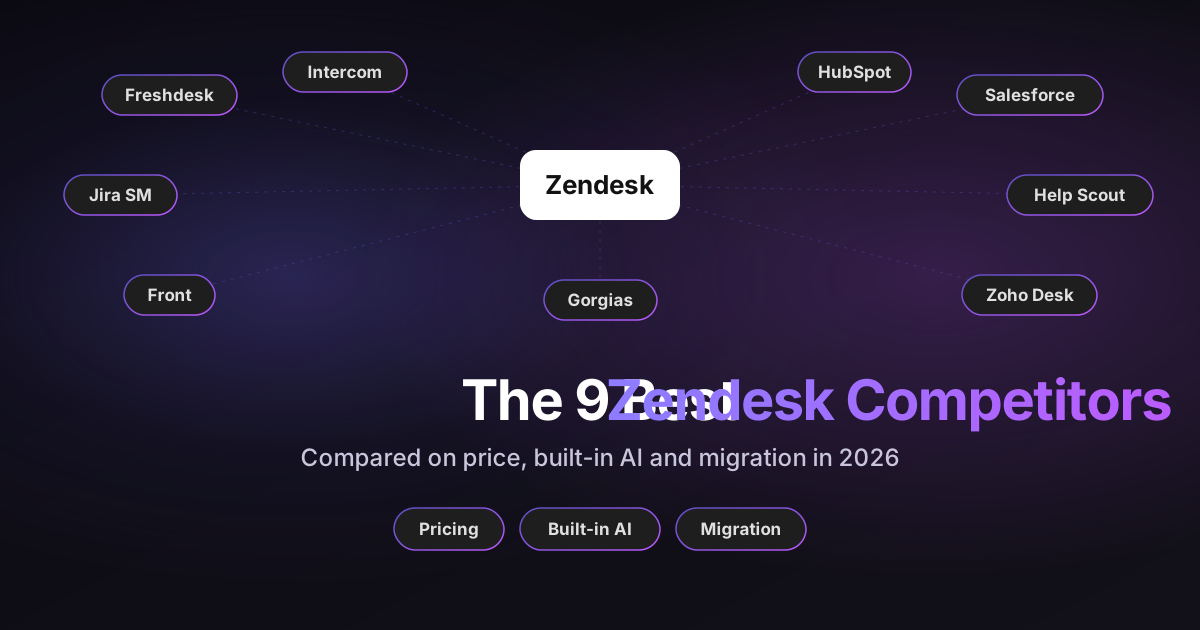
The best Zendesk alternative depends on your existing systems, the support channels you need and your total cost, including AI and migration. This guide compares nine Zendesk competitors on exactly those points, using each vendor's own pricing pages and help docs as of October 15, 2026.
How this guide was put together:
- Disclosure: I work at Pluno, which sells an AI layer that runs inside Zendesk and four of these helpdesks. Pluno isn't a helpdesk, so it isn't one of the nine.
- Why these nine: together they cover the main buyer situations: support inside a CRM, support next to engineering, chat-first SaaS, e-commerce, small teams and tight budgets. Each one is an established helpdesk with published pricing, its own AI agent and an official or partner-supported path off Zendesk. I also checked the list against the top-ranking Zendesk alternatives pages.
- Method: this is documentation research, not nine hands-on trials. The numbers below are a list, not a ranking.
Every competitor is compared on the same five yardsticks: who it's best for (named in each heading), price, built-in AI, channels, and migration from Zendesk.
TL;DR: Which Zendesk competitor is right for your team?
- No single winner: Intercom fits chat-first SaaS, and HubSpot Service Hub or Salesforce Service Cloud fit teams whose CRM is already there. Jira Service Management fits teams that share Jira with engineering.
- Lowest per-agent prices: Zoho Desk from $7. For omnichannel support, Freshdesk Omni starts at $29 per agent against $55 for Zendesk Suite Team, billed annually.
- AI pricing isn't comparable at a glance: vendors bill per resolution, outcome, session, conversation, interaction or token. In my modeled example for 20 agents, estimated monthly totals ranged from about $2,900 to $4,000.
- Migration is uneven: Intercom, Help Scout, Zoho Desk and Gorgias document official Zendesk importers. HubSpot, Salesforce and Jira Service Management rely on partners or marketplace apps.
- You may not need to switch: if AI is the main problem, AI layers like Fin or Pluno run inside Zendesk with no migration.
Zendesk competitors at a glance
The first table compares price on a common basis. All prices are in US dollars, per agent or seat per month on annual billing, unless the cell says otherwise.
The "plan for omnichannel and AI" column shows the cheapest plan that covers email, chat and messaging in one place, with access to the vendor's AI agent.
| Helpdesk | Best for | Starting price | Billing unit | Plan for omnichannel and AI |
|---|---|---|---|---|
| Zendesk (baseline) | Omnichannel support teams | $19 (Support Team, email only) | Per agent | Suite Team, $55 |
| Freshdesk | Omnichannel on a smaller budget | $19 (Growth, email) | Per agent | Omni Growth, $29 |
| Intercom | Chat-first SaaS | $29 (Essential) | Per seat | Essential, $29 |
| HubSpot Service Hub | Teams on HubSpot CRM | Free plan, then $20 (Starter) | Per seat | Professional, $100 plus $1,500 onboarding |
| Salesforce Service Cloud | Companies on Salesforce | $25 (Starter Suite) | Per user | Pro Suite, $100, plus AI and messaging add-ons |
| Jira Service Management | Teams that share Jira with engineering | Free for 3 agents | Per agent, tiered by team size | Standard, plus Customer Service Management for the AI agent |
| Help Scout | Small, email-first teams | Free plan, then $25 (Standard) | Per user | Standard, $25 |
| Front | Shared inboxes across teams | $25 (Starter, one channel type) | Per seat | Professional, $65 |
| Zoho Desk | Tight budgets | Free plan, then $7 (Express) | Per user | Standard, $14, for messaging and Answer Bot. Enterprise, $40, for SalesIQ live chat and pre-built AI agents |
| Gorgias | Shopify brands | $50 a month (Basic, 300 tickets) | Per ticket volume | Basic, $50 a month |
The second table covers AI billing and migration, where the vendors differ most.
| Helpdesk | AI agent billing unit and price | Official Zendesk import | Main migration limitation |
|---|---|---|---|
| Zendesk | $1.50 committed or $2.00 pay-as-you-go per automated resolution | n/a | n/a |
| Freshdesk | 500 sessions free once, then $49 per 100 sessions | Built-in connector | What it imports isn't published |
| Intercom | $0.99 per outcome | Yes | Built for under 150,000 tickets, no tags |
| HubSpot Service Hub | $0.50 per resolution, Professional and up | Articles only | No ticket importer |
| Salesforce Service Cloud | $2 per resolution (Help Agent) | No | Needs a migration partner |
| Jira Service Management | $1.00 per resolution via Customer Service Management, billed from December 3, 2026 | No | Marketplace app only |
| Help Scout | $0.75 per resolution | Yes | Macros and triggers don't move |
| Front | $0.05 to $0.89 per conversation | Yes | Importer "not actively maintained" |
| Zoho Desk | Assistance included, AI agents billed by tokens | Yes (Zwitch) | No tags, groups or inline images |
| Gorgias | $0.90 per automated interaction, plus the ticket allowance | Yes | No attachments or ratings |
Why support teams look for Zendesk competitors in 2026
Most teams start looking when the Zendesk bill grows faster than the team. Two changes on Zendesk's own pages are behind most of that.
The per-agent price stacks up. Suite Professional is $115 per agent a month billed annually, and Copilot is a $50 add-on per agent. A 20-agent team that wants both pays about $3,300 a month before any AI resolutions.
AI billing is in transition. Zendesk's pricing page lists automated resolutions at $1.50 committed or $2.00 pay-as-you-go. Its help center describes a newer tiered model from May 2026, with a dollar allowance per seat and tier prices that aren't published.
A side note: Zendesk is also retiring Zendesk Sell, its sales CRM, on August 31, 2027. That affects your CRM, not your support platform. My Zendesk Sell alternatives guide covers it.
The 9 Zendesk competitors, reviewed
Each review uses the same five yardsticks and ends with a short verdict: when to choose it over Zendesk, and when to keep Zendesk. Every price and limit links to its source.
1. Freshdesk: omnichannel support on a smaller budget
Freshdesk is Freshworks' helpdesk, with a separate Omni product for messaging channels.
- Price: Growth $19, Pro $55 and Enterprise $89 per agent for email ticketing. Freshdesk Omni costs $29, $79 and $119, which is the fair comparison with Zendesk Suite at $55 and $115.
- Built-in AI: the Freddy AI Agent includes 500 sessions once per account, then costs $49 per 100 sessions. An email session is a 72-hour window, not a resolved ticket. Freddy AI Copilot is $29 per agent, on Pro and Enterprise.
- Channels: email, Facebook and basic web chat in Freshdesk, plus WhatsApp and Instagram in Freshdesk Omni.
- Migration from Zendesk: a built-in Zendesk connector plus free migration help, according to Freshworks' comparison page. It doesn't publish what the connector imports.
Choose it over Zendesk when you need omnichannel support for more agents than your budget allows on Zendesk Suite. Keep Zendesk when the per-agent savings are smaller than the cost of rebuilding your triggers, macros and apps. My Freshdesk vs Zendesk comparison goes deeper.
2. Intercom: chat-first SaaS support
Intercom is a helpdesk built around in-app chat, with the Fin AI agent built in. The company behind it, now called Fin, has been owned by Salesforce since September 2026.
- Price: Essential $29, Advanced $85 and Expert $132 per seat, with one full seat minimum.
- Built-in AI: Fin costs $0.99 per outcome. Copilot is $29 per seat, with 10 free Copilot conversations per agent each month.
- Channels: email, phone, SMS, live chat, Slack, WhatsApp, Instagram, Facebook and Discord, with WhatsApp, SMS and phone billed by usage.
- Migration from Zendesk: an official importer moves tickets, users, organizations and attachments. It's built for fewer than 150,000 tickets and can't move tags or side conversations.
Choose it over Zendesk when most of your support happens in chat inside your product. Keep Zendesk when email and web forms carry most of your volume. If your history is well over 150,000 tickets, plan a partner-led migration, since the importer is built for less.
My Zendesk vs Intercom comparison covers the rest.
3. HubSpot Service Hub: support inside the HubSpot CRM
HubSpot Service Hub is the support product inside HubSpot, so support, sales and marketing share one customer record.
- Price: a free plan, Starter from $20, Professional from $100 and Enterprise from $150 to $175 per seat (HubSpot's product page and product catalog differ). Professional adds a one-time $1,500 onboarding fee.
- Built-in AI: the Customer Agent costs $0.50 per resolution, paid in HubSpot credits, on Professional and Enterprise.
- Channels: email, live chat, calling minutes, Facebook Messenger, and WhatsApp from Professional.
- Migration from Zendesk: HubSpot can import help center articles from Zendesk. For tickets, I found no official importer, only a third-party app in HubSpot's marketplace.
Choose it over Zendesk when your company already runs on the HubSpot CRM. Keep Zendesk when you're not on HubSpot and the savings don't cover Professional. That's the tier you'd need for the AI agent and WhatsApp, at $100 a seat plus onboarding.
My Zendesk vs HubSpot comparison goes further.
4. Salesforce Service Cloud: support inside the Salesforce CRM
Salesforce Service Cloud is Salesforce's support product, built on the same CRM as its sales tools.
- Price: Starter Suite $25 and Pro Suite $100 per user, then Core $195, Advanced $395 and Max $550, with annual contracts from Pro Suite up.
- Built-in AI: Agentforce for Service is included in Max and sold separately on other editions. The Help Agent costs $2 per resolution.
- Channels: email and web case capture and chat, with messaging apps like WhatsApp and SMS and voice as paid add-ons.
- Migration from Zendesk: I found no official Zendesk import tool from Salesforce, so plan on a migration partner.
Choose it over Zendesk when your customer data already lives in Salesforce. Keep Zendesk when the add-ons you'd need below Max to match your current channels cost more than your Zendesk plan. My guide to AI tools for Salesforce Service Cloud shows what you can add on top.
5. Jira Service Management: support next to engineering
Jira Service Management is Atlassian's service desk, now sold inside Atlassian's Service Collection with Customer Service Management, Assets and Rovo AI.
- Price: free for up to 3 agents. Paid plans are tiered by team size, so Atlassian's page shows Standard at $21.50 and Premium at $55.28 per agent for a 75-agent team on monthly billing.
- Built-in AI: Rovo credits come with each plan. For external support, the Customer Service Management app has an AI agent at $1.00 per resolution, with usage charges starting December 3, 2026.
- Channels: email, chat, a customer portal and an embeddable widget, plus requests from Slack or Microsoft Teams. Customer Service Management adds voice.
- Migration from Zendesk: no official importer. Atlassian's marketplace lists a third-party Zendesk migration app.
Choose it over Zendesk when support and engineering already share Jira and most requests arrive by email, portal or chat. Keep Zendesk when you need WhatsApp or social channels, which I didn't find for Atlassian's service apps. Its knowledge base runs on Confluence, with core features at no extra cost.
6. Help Scout: small, email-first teams
Help Scout is a helpdesk built around shared email inboxes and a help center.
- Price: a free plan for 100 contacts a month, then Standard $25, Plus $45 and Pro $75 per user. Standard is capped at 25 users and Plus at 50.
- Built-in AI: the AI agent costs $0.75 per resolution, with three months free for new accounts. AI drafts and summaries need Plus.
- Channels: email on every plan, plus live chat, Messenger, Instagram and WhatsApp from Standard. Phone works through Aircall.
- Migration from Zendesk: a built-in importer is free up to 500,000 records and offers a sample import. Macros, triggers and ticket types don't move.
Choose it over Zendesk when your team is small and email is the main channel. Keep Zendesk when you rely on custom fields, teams and advanced workflows, and Help Scout's Plus or Pro plans would cost about the same as Zendesk. Compare the total first.
My Help Scout alternatives guide covers its pricing history.
7. Front: shared inboxes across teams
Front turns email and messaging into shared inboxes that support, sales and operations work in together.
- Price: Starter $25, Professional $65 and Enterprise $105 per seat. Starter is capped at 10 seats and one channel type, and Professional at 50 seats.
- Built-in AI: Autopilot is billed per conversation at $0.05 for triage, $0.39 for a handoff and $0.89 for a resolution. Copilot is a $20 per seat add-on on Starter and Professional, included in Enterprise.
- Channels: email, chat and SMS, plus social, WhatsApp and voice integrations from Professional.
- Migration from Zendesk: Front's own importer is free but "not actively maintained", so Front recommends a migration partner.
Choose it over Zendesk when customer conversations don't belong to support alone. Keep Zendesk when your support team is larger than 50 seats and Front's Enterprise plan would cost more than your current setup. Compare the total first.
My Front vs Zendesk comparison has more detail.
8. Zoho Desk: tight budgets
Zoho Desk has the lowest per-user prices on this list and fits teams that already use other Zoho apps.
- Price: a free plan for 3 users, then Express $7, Standard $14, Professional $23 and Enterprise $40 per user.
- Built-in AI: Zia's generative assistance, like reply help and summaries, comes at no extra cost. Zia Agents, which act on their own, are billed by tokens. Standard-tier Zoho-hosted models include 30 million free tokens a month, then $1 per million, and other models have different rates.
- Channels: email and web forms on every plan, social from Express, and live chat plus messaging apps like WhatsApp from Standard. Phone starts on Professional, and SalesIQ live chat is Enterprise only.
- Migration from Zendesk: Zwitch is a free import tool. It doesn't move tags, groups or inline images.
Choose it over Zendesk when price per agent matters most. If you need Enterprise for SalesIQ live chat or pre-built AI agents, compare its $40-per-user price and migration costs with your current Zendesk setup.
9. Gorgias: Shopify brands
Gorgias is a helpdesk built for e-commerce, with Shopify order data inside every ticket.
- Price: billed by ticket volume, not seats. Basic $50, Pro $300 and Advanced $750 a month cover 300, 2,000 and 5,000 tickets.
- Built-in AI: the AI Agent needs a connected Shopify store. Automated tickets count toward your helpdesk allowance and incur an additional AI charge of $0.90 per interaction on annual plans.
- Channels: email, chat, social and help center on every plan, with voice and SMS as add-ons.
- Migration from Zendesk: a built-in import brings over two years of tickets, macros, users and tags, but not attachments or ratings.
Choose it over Zendesk when you sell on Shopify and most tickets are about orders. Keep Zendesk when you don't run Shopify, since the AI Agent requires it. My Gorgias pricing breakdown shows how the ticket and AI charges combine.
What switching costs: a worked example
Here's one scenario, so you can see how the billing units turn into a monthly bill. Swap in your own numbers before you decide anything.
The scenario: 20 agents, 4,500 tickets a month, annual billing, and the AI fully resolving 30% of tickets (1,350 a month). I compared staying on Zendesk with two common switches, each on the tier a 20-agent omnichannel team would typically need.
| Monthly cost | Zendesk Suite Professional + Zendesk AI (traditional automated-resolution pricing) | Intercom Advanced + Fin | Freshdesk Omni Pro + Freddy |
|---|---|---|---|
| Seats (20) | $2,300 | $1,700 | $1,580 |
| AI usage | 200 included, then 1,150 × $1.50 = $1,725 | 1,350 × $0.99 = $1,337 | About $1,323 (see the note below) |
| Total per month | About $4,025 | About $3,037 | About $2,903 |
| One-time switching cost | None | Migration work | Migration work |
How to read it:
- Zendesk uses the committed rate from its public pricing page. At the pay-as-you-go rate, the AI line rises to $2,300. Zendesk accounts can be on different AI billing models, and the newer tier prices aren't published, so check which one applies to you.
- Freshdesk bills sessions, not resolutions, so its line uses a separate assumption: the AI engages 60% of tickets (2,700 sessions), at $49 per 100. The 500 free sessions apply once, so I left them out.
- Not included: Copilot add-ons ($50 per agent on Zendesk, $29 on Intercom and Freshdesk), usage-billed channels like WhatsApp, and the cost of rebuilding automations.
Under these assumptions, estimated subscription and AI costs are roughly $1,000 to $1,100 lower per month, before migration costs. The more weeks your team spends rebuilding triggers, macros and integrations, the longer that difference takes to pay back.
How to shortlist a Zendesk competitor
Start with the systems your company already runs on, then check channels, routing, reporting and permissions against your workflow.
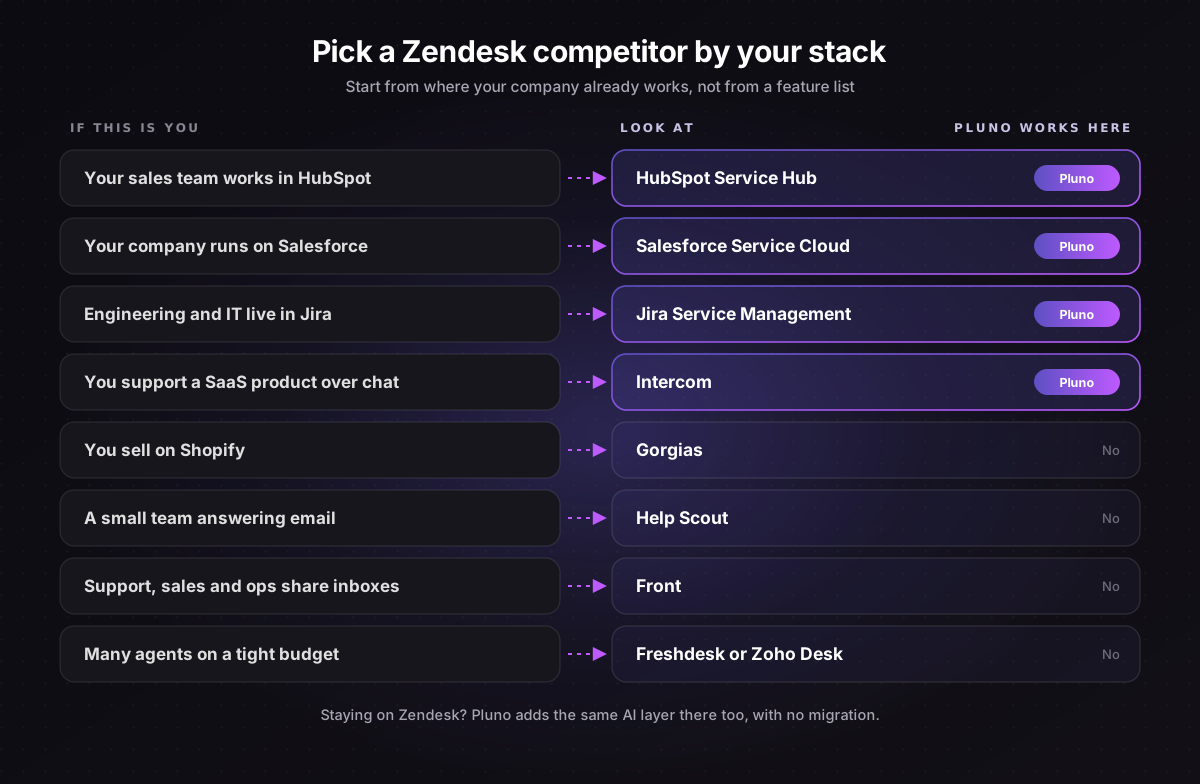
Then narrow the shortlist with three questions:
- Where does your customer data live? If it's HubSpot or Salesforce, their service products remove a sync you'd otherwise maintain.
- Which channels and workflows are non-negotiable? Check WhatsApp, voice, SLAs, routing and permissions on the exact plan you'd buy.
- What will AI cost at your volume? Use each vendor's billable unit, your expected AI usage, included allowances and minimum commitments. Then add seats, platform fees and required add-ons.
For more options, my roundup of SaaS help desk software covers the wider market.
Keep Zendesk and replace its AI instead
If AI is your main complaint, you can keep Zendesk and add a different AI layer inside it. That avoids a migration entirely.
Two options are Fin and Pluno. Fin also runs on Zendesk, working with your existing routing and handing conversations back to Zendesk agents, at $0.99 per outcome with a $49 monthly minimum.
Pluno is an AI layer you add directly inside your existing helpdesk, so AI can support every part of your support workflow without changing how your team works. That covers answering tickets automatically, drafting replies for your agents, tagging and reporting, escalating to engineering, and reviewing quality.
What Pluno offers inside Zendesk:
- It learns from your past tickets first. Pluno treats your resolved tickets as its main knowledge source and replies only when its sources agree. It doesn't depend on help center articles being up to date.
- It covers the human side too. Agent reply drafts, tagging, engineering escalations and quality reviews run on the same platform as the AI agent.
- It moves with you. Pluno runs inside Zendesk, Intercom, Salesforce Service Cloud, HubSpot and Jira Service Management, so it still works if you later switch to one of those four competitors.
What Pluno costs (in euros, monthly billing, from Pluno pricing):
- Platform fee by monthly ticket volume: 249€ for up to 500 tickets, rising with volume (for example, 999€ up to 3,000 tickets). Annual billing is about 15% lower.
- Included in the platform fee: the AI agent, AI Tagging and Field Filling, Escalation Copilot, topic trends and call summaries.
- On top: 0.90€ for each ticket the AI agent fully resolves, and escalations are never billed. AI Copilot is 49€ per agent seat, and Quality Assurance is 35€ per agent.
- Still needed: your Zendesk subscription, since Pluno runs inside it.
Innovorder, Velotric and Smartness all run Pluno inside Zendesk, and each result uses its own measure. Innovorder resolves 67% of its chat tickets with Pluno, while Velotric's AI agent handles 58% of the tickets routed to it. Smartness compared Pluno with Fin before choosing Pluno.
"I compared Pluno with Fin by Intercom, and Pluno was miles ahead!"
Joseph D'Apuzzo, Customer Support Manager at Smartness
The free 50-ticket simulation shows how Pluno would have answered your last 50 tickets, next to your team's replies. You see the quality of its answers, any gaps in its knowledge and when it would hand off, all before anything goes live. To see how this approach compares with built-in AI and standalone AI agents, read how Pluno compares.
A migration checklist for leaving Zendesk
If you do switch, the import is the easy part. Run the move in this order:
- Inventory your data. Count tickets, users, organizations, attachments, help center articles and custom fields, then compare them with the importer's limits.
- List exclusions and agree rollback criteria. Note what the importer won't move, like tags on Intercom and Zoho Desk, macros on Help Scout, or attachments on Gorgias. Decide what would make you switch back, such as missing records or broken routing.
- Run a sample import. Import a small batch first, like Help Scout's sample import, and check that every field maps where you expect.
- Run and reconcile the full import. Compare record counts for each object between Zendesk and the new tool, then spot-check timestamps, authors, internal notes, attachments and statuses.
- Move and check the help center. Most tools import articles separately from tickets, so check every article's links and images after the move.
- Rebuild automations and reconnect your stack. Recreate triggers, routing, SLAs and macros, reconnect your CRM, engineering tools and AI agent, then test on real tickets.
- Cut over new work. With one named owner, point your support email, widget and channels at the new tool, so every new ticket lands there.
- Keep history reachable, not active. Keep a Zendesk login or a full export for looking up old tickets, but stop working new tickets in Zendesk.
My guide to using Zendesk for customer service is a useful list of the setup you'll need to recreate.
The bottom line
Pick the Zendesk competitor that fits your systems, channels and total cost, and price the migration before you count the savings. If AI is the real reason you're looking, compare that with keeping Zendesk and replacing its AI, starting with a free Pluno simulation on your last 50 tickets.
FAQ
Who are Zendesk's biggest competitors?
Freshdesk is the closest match on features at a lower per-agent price. Intercom competes for chat-first SaaS teams, while Salesforce Service Cloud and HubSpot Service Hub compete for companies that want support inside their CRM.
Jira Service Management, Help Scout, Front, Zoho Desk and Gorgias each compete for a narrower group. Standalone AI agents also compete with Zendesk's own AI, since they run on top of these helpdesks.
Is there a free alternative to Zendesk?
Yes. Zoho Desk is free for 3 users and Jira Service Management for 3 agents. HubSpot Service Hub has a free plan, and Help Scout is free for up to 100 contacts a month.
Each free plan has tight limits, so most growing teams move to a paid tier.
Which is better, Zendesk or Freshdesk?
For email ticketing, both start at $19 per agent a month, billed annually. For omnichannel support, Freshdesk Omni starts at $29 against $55 for Zendesk Suite Team, so Freshdesk costs less, while Zendesk bundles more channels into its Suite plans.
Is Zendesk a CRM, and is Zendesk Sell shutting down?
Zendesk's core products are customer service software, not a CRM. Its sales CRM, Zendesk Sell, will be retired on August 31, 2027, with Pipedrive as its migration partner.
What is the cheapest Zendesk alternative?
Zoho Desk is the cheapest paid option on this list, from $7 per user a month billed annually, with generative AI assistance included. Freshdesk Growth and Zendesk Support Team both start at $19 per agent for email ticketing.
How hard is it to migrate away from Zendesk?
It depends on your data and the tool. Intercom, Help Scout, Zoho Desk and Gorgias have official importers, while HubSpot, Salesforce and Jira Service Management rely on third-party tools. Rebuilding automations usually takes longer than moving the tickets.
Can I keep Zendesk and still get better AI?
Yes. AI layers like Fin and Pluno run inside Zendesk, so you can replace the AI without moving your tickets. Pluno also runs inside Intercom, Salesforce Service Cloud, HubSpot and Jira Service Management.