If you run support on Salesforce Service Cloud, you've probably heard that Agentforce is the default AI for Salesforce. It might be. It isn't the only one, though, and for many B2B SaaS teams it isn't the best fit.
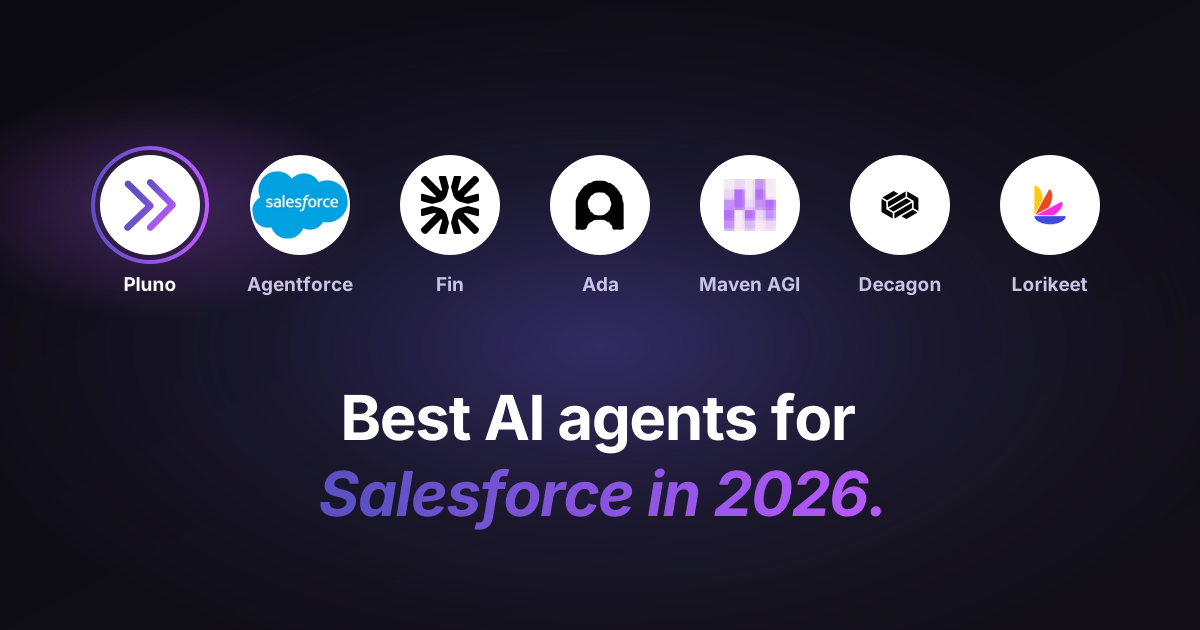
I read the Salesforce docs, pricing pages, and integration guides for seven Salesforce AI agents in October 2026. Then I scored each one on the same four yardsticks:
- Where it works: inside Service Cloud, connected to it, or handing off into it
- What it learns from: Knowledge only, or also past cases and your other tools
- What your org needs first: editions, add-ons, and admin time
- Price: the number, and the unit you're billed on
My pick for most B2B SaaS support teams is Pluno. Below, I'll show you why, and when another tool is the smarter buy.
TL;DR: The best AI tools for Salesforce in 30 seconds
- Winner for B2B SaaS support: Pluno. It works inside Service Cloud, resolves cases and Enhanced Chat conversations, and learns from cases your reps already closed. It costs from €249 a month plus €0.90 per resolution.
- Native pick: Agentforce. It fits teams on the Advanced or Max edition with admin time to spare. It bills $0.10 per action or $2 per conversation.
- Biggest hidden cost: setup. Partner estimates for a first Agentforce agent run from about 4 weeks to 30 weeks.
- Check the chat window your customers see. Ada and Lorikeet run their own widget and hand off into Salesforce, and both require the Digital Engagement add-on.
- Bottom-line advice: pull 50 recent cases, note where each answer lived, and pick the tool that can read those sources.
What is a Salesforce AI agent?
A Salesforce AI agent reads a Service Cloud case or chat, finds the answer, and then replies, updates the case, or passes it to a rep. That last step is the handoff, and how well a tool handles it matters as much as its answers.
Salesforce's own AI agent is Agentforce. Its older tool, the Einstein Bot, follows scripted dialogs instead of reasoning about each case. Salesforce put Einstein Bots in Maintenance Mode on August 17, 2026, so they get no new features.
AI shows up in three places inside a Service Cloud org:
- On the case and in chat, facing customers. This is where AI agents work.
- In the Service Console, helping reps. Reply drafts and case summaries that a rep checks before sending.
- On case fields and routing. Classification and routing that decide who gets the case.
This post ranks tools in the first group. For a wider look at bots, see my roundup of AI chatbots for customer service.
Inside, connected, or handoff: how AI tools plug into Service Cloud
Third-party AI tools join Service Cloud in one of three ways. That choice decides which chat window your customers see, what your reports count, and which add-ons you buy.
- Inside: the AI agent replies on your cases and in Enhanced Chat, Salesforce's web and in-app chat (formerly Messaging for In-App and Web). Every conversation stays on the case. Agentforce and Pluno work this way.
- Connected: the AI agent syncs records through Salesforce's API and writes results back. Maven AGI and Fin's case handling work this way.
- Handoff: the AI agent runs chat in its own widget and only moves the conversation into Salesforce when a rep is needed. Ada and Lorikeet work this way.
The handoff model has two costs people miss. First, Ada and Lorikeet both require Salesforce's Digital Engagement add-on. Second, your Salesforce reports only see the conversations the AI couldn't finish.
If you're also weighing AI agents beyond Salesforce, my roundup of AI agents for customer support covers the wider market.
The 7 best Salesforce AI tools for Service Cloud
I built this list from each vendor's own docs and pricing pages, checked on October 8, 2026. I left out three well-known names:
- Sierra: I found no official documentation of a Service Cloud integration on sierra.ai.
- Forethought: it runs on Service Cloud, but Zendesk completed its acquisition in March 2026.
- Zendesk AI: it only runs on Zendesk.
1. Pluno: best Salesforce AI agent for B2B SaaS support
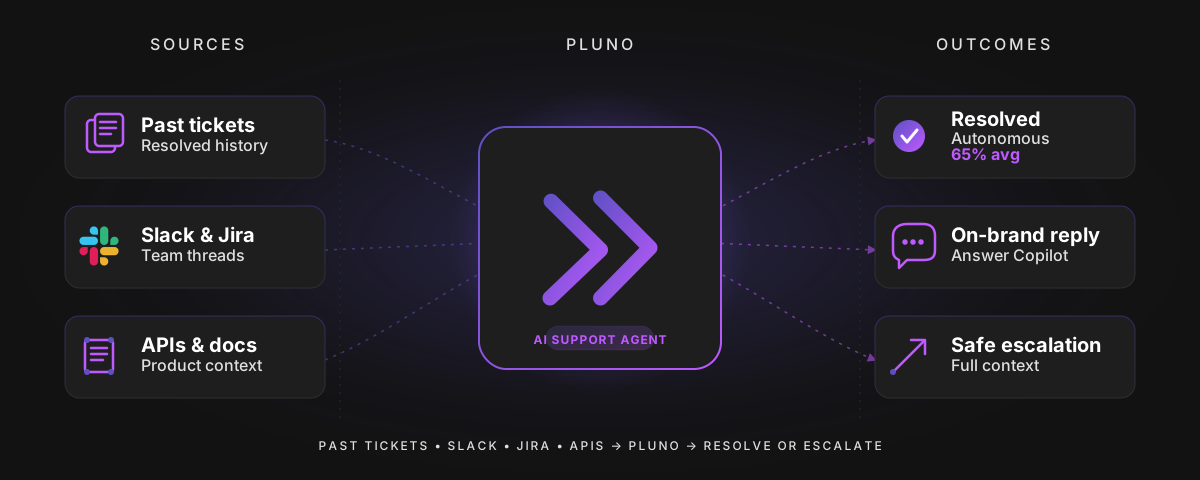
Pluno is my pick for B2B SaaS teams because it learns from the cases your reps already solved, not just from Knowledge. That matters when your product is technical and half the fixes were never written up.
- Where it works: inside Service Cloud. It resolves cases and works in Enhanced Chat.
- What it learns from: past resolved cases first, then Knowledge, docs, Slack threads, and your APIs. It follows the diagnostic steps your reps used.
- What your org needs first: nothing beyond Service Cloud. There's no Agentforce license, Flex Credits, or Data 360 to set up.
- Price: a platform fee from €249 a month for under 500 tickets, plus €0.90 per resolution. A case counts as resolved 72 hours after Pluno's last reply with no response. See Pluno pricing.
Here's the kind of case this is built for. A customer writes, "SAML login broke after we rotated our certificate." Knowledge has a generic SSO article, but the real fix sits in a case a senior rep closed last quarter and a Slack thread with engineering.
Pluno searches both at the same time. If it still isn't sure, it hands the case to a rep with a research summary, the evidence it found, and suggested next steps.
Pros
- Answers technical cases that Knowledge never covered
- Replies only with evidence, and hands off with full context when it's unsure
- Data processed in Europe, SOC 2 Type 2, GDPR compliant, and no model training on your data
- Free simulation on your 50 most recent cases before you commit
Cons
- Voice isn't one of its channels
- If most of your cases are password resets, you'd pay for depth you won't use
Pluno customers report 67% of chat tickets resolved by AI at Innovorder and half of all tickets handled without a rep at Kojo.
Verdict: the strongest choice when your hardest cases need troubleshooting and you want an AI agent working without a build project. See how Pluno's Deflection AI resolves cases.
2. Agentforce: best for teams all in on Salesforce
Agentforce is the right call if Salesforce is your platform for everything and you have admins to build on it. It's the only tool here that runs on Salesforce's own permissions with no connector in between.
- Where it works: native to Service Cloud, with voice, SMS, WhatsApp, and web chat.
- What it learns from: Knowledge, your Salesforce records, and Data 360. Its behavior comes from the Topics, instructions, and Actions your team sets up.
- What your org needs first: Data 360 must be provisioned and enabled, plus an edition or add-on that includes Agentforce, plus admin or partner time.
- Price: Flex Credits cost $500 per 100,000, which is $0.10 per action. The other meter is $2 per conversation, and one org can't use both.
A few more price points matter:
- The Help Agent, branded Casey, costs $2 per resolution. Salesforce says there's no charge when the customer asks for a human or leaves negative feedback.
- The Agentforce add-on for Service is $125 per user a month.
- The new Advanced ($395) and Max ($550) editions bundle 1 million and 2.75 million Flex Credits per org per year.
Setup is where estimates split. One partner, Cloud Analogy, quotes 4 to 5 weeks for a standard rollout. Clientell, another partner, estimates 16 to 30 weeks before the first agent reaches production.
Neither shares its data, so read both as rough ranges. Salesforce reports that its own Help Agent handled 4.3 million inquiries and resolved 70%, though that's a self-reported figure.
The outside signals are mixed. In July 2026, KeyBanc downgraded Salesforce, with its analyst saying Agentforce "is not ready". Reviewers on G2 mention budgets that are hard to forecast and setup that needs "significant setup, testing, and ongoing optimization."
Pros
- Native Salesforce permissions and governance
- Voice, SMS, WhatsApp, and chat from one platform
- A per-resolution option through Casey
Cons
- Needs Data 360, the right edition, and build time
- Per-action billing makes long conversations expensive
- Answers are only as good as your Knowledge
Verdict: a strong fit for Salesforce-first enterprises with admin capacity. For how Agentforce stacks up against other vendors, see my list of AI customer service companies.
3. Fin: best for help-center-style questions
Fin suits teams whose cases are mostly common questions with good articles behind them. Salesforce completed its acquisition of Fin on September 10, 2026, so it's now a Salesforce product too.
- Where it works: connected. Fin follows your case assignment rules and writes the transcript and summary onto the case. Chat runs in Fin Messenger and hands off to Salesforce, with native Salesforce messenger support listed as coming soon.
- What it learns from: it syncs your Salesforce Knowledge articles.
- What your org needs first: an API-enabled org. The connector has managed availability, so you go through Fin's sales team.
- Price: $0.99 per outcome, with a 50-outcome monthly minimum.
Pros
- Simple per-outcome price
- Large installed base on other help desks
Cons
- Its chat doesn't run in Enhanced Chat yet
- Leans on Knowledge for answers
- With Fin and Agentforce under one owner, its Salesforce roadmap is an open question
Verdict: a good pick for FAQ-heavy volume. My Fin pricing guide explains how outcomes are counted.
4. Ada: best for consumer brands with many channels
Ada fits large consumer brands that want one AI front door across voice, chat, email, messaging apps, SMS, in-app, and social. It sits in front of Salesforce, not inside it.
- Where it works: handoff. Ada runs the conversation and passes it into Salesforce Messaging when a rep is needed.
- What it learns from: Ada's Salesforce docs cover the handoff, not the AI's sources, so ask in your demo.
- What your org needs first: Enterprise, Unlimited, or Developer edition with Digital Engagement, plus Enhanced Omni-Channel routing.
- Price: not public. Ada's pricing page asks you to book a demo.
Pros
- Wide channel coverage
- Enterprise-grade for high consumer volume
Cons
- Customers chat in Ada's widget, not Enhanced Chat
- Requires Digital Engagement
- No public pricing
Verdict: worth a look for big consumer brands. B2B SaaS teams with technical cases will likely find it heavier than they need.
5. Maven AGI: best for heavily customized orgs
Maven AGI stands out if your answers live in custom objects. Its connector reads cases, Knowledge articles, accounts, and custom objects.
- Where it works: connected, with recommendations for reps inside the Salesforce console.
- What it learns from: your Salesforce records and Knowledge. It can update case fields, create tasks, move cases to queues, and trigger Flows.
- What your org needs first: the Salesforce connection. Maven says most Salesforce deployments go live in one to two weeks.
- Price: not public.
Pros
- Broad read access, including custom objects
- Acts through your existing Flows
Cons
- No public pricing
- Deployment speed is a vendor claim
Verdict: a good fit for orgs with years of custom objects and Flows.
6. Decagon: best for consumer brands that want experiments
Decagon suits large consumer brands that want to test and tune their AI agent. Its customers include Duolingo, Chime, and Notion, and it raised at a $4.5 billion valuation in January 2026.
- Where it works: connected. Decagon says it can tap into customer data from apps like Salesforce. Its detailed Salesforce docs sit behind a login, so I couldn't check them.
- What it learns from: Agent Operating Procedures, which are plain-language instructions your team writes.
- What your org needs first: a Decagon-led implementation.
- Price: not public. Decagon says most customers choose per-conversation pricing, with per-resolution as an option.
Pros
- Built-in experiments on agent behavior
- Chat, email, and voice
Cons
- Salesforce integration details aren't public
- No self-serve option
Verdict: a fit for high-volume consumer support with an enterprise budget.
7. Lorikeet: best when voice matters
Lorikeet fits consumer businesses where phone support matters as much as chat. Its AI runs the conversation in the Lorikeet Chat Widget and hands off into Enhanced Chat when a rep is needed.
- Where it works: handoff. Your Omni-Channel flows decide who gets the conversation, and Lorikeet posts the conversation so far.
- What it learns from: the integration page doesn't say, so ask during your trial.
- What your org needs first: the Digital Engagement add-on.
- Price: the Start plan is $2,100 a month for under 5,000 tickets, plus $0.99 per chat, email, or SMS resolution and $1.50 per voice resolution. It's paid annually, with a 30-day free trial.
Pros
- Voice and chat in one AI agent
- Public pricing
Cons
- $2,100 monthly minimum before any resolutions
- Customers chat in Lorikeet's widget
Verdict: a solid choice when voice carries real volume and the budget covers the minimum.
Salesforce AI agents compared side by side
The table puts the four yardsticks for all seven Salesforce AI tools in one place.
| AI tool | Where it works | What it learns from | What your org needs first | Price (October 2026) |
|---|---|---|---|---|
| Pluno | Inside: cases and Enhanced Chat | Past resolved cases, Knowledge, docs, Slack, APIs | Nothing beyond Service Cloud | From €249/mo + €0.90 per resolution |
| Agentforce | Native | Knowledge, records, Data 360, your Topics and Actions | Data 360, edition or add-on, build time | $0.10 per action, $2 per conversation, or $2 per Casey resolution |
| Fin | Connected; chat hands off | Salesforce Knowledge | API-enabled org, sales-led access | $0.99 per outcome, 50/mo minimum |
| Ada | Handoff | Not documented for Salesforce | Enterprise+ with Digital Engagement | Not public |
| Maven AGI | Connected; console help | Cases, Knowledge, accounts, custom objects | Salesforce connection | Not public |
| Decagon | Connected | Agent Operating Procedures | Vendor-led setup | Not public |
| Lorikeet | Handoff | Not documented for Salesforce | Digital Engagement | From $2,100/mo + $0.99 per resolution |
How to choose an AI agent for Salesforce in 5 steps
The fastest way to choose AI for Salesforce is to test each tool against your own cases, not its demo. These five steps take about a week.
- Audit 50 recent cases. Export them from a Salesforce report and tag where each answer came from: Knowledge, an older case, Slack or Jira, or a rep's memory. If most answers aren't in Knowledge, rule out tools that only read Knowledge.
- Check your edition and licenses. Go to Setup, then Company Information, and note your edition and add-ons. Agentforce makes the most sense on Advanced or Max.
- Decide which chat window customers should see. If you want them in Enhanced Chat, shortlist tools that work inside Service Cloud. If a vendor widget is fine, confirm you own Digital Engagement.
- Price your busiest month, not your average one. Use the worked example below as a template.
- Run a pilot on real cases. Ask each vendor to run your 50 cases and compare resolutions and handoff notes side by side.
Here's how step 4 can look for 2,000 conversations a month, assuming 10 actions per conversation and a 60% resolution rate:
- Agentforce on Flex Credits: 20,000 actions at $0.10 is $2,000, and conversations that end in a handoff still use credits.
- Agentforce on the conversation meter: 2,000 conversations at $2 is $4,000.
- Pluno: a €999 platform fee for under 3,000 tickets plus 1,200 resolutions at €0.90 is €2,079.
Your numbers will differ, so swap in your own volume and resolution rate. Pluno's full volume tiers are on the pricing page.
The bottom line
For most B2B SaaS support teams on Service Cloud, Pluno is the best AI agent for Salesforce in 2026. It works inside Salesforce, learns from your solved cases, and skips the build project. Agentforce is the better buy if you're all in on Salesforce and staffed to run it.
The surest test is your own history. Try Pluno free and see which of last month's cases it would have resolved.
FAQ
What AI tool does Salesforce have?
Salesforce's AI tool for service is Agentforce, including the Help Agent branded Casey. Since September 2026, Salesforce also owns Fin. Einstein Bots still run but have been in Maintenance Mode since August 17, 2026.
What is the best AI to use with Salesforce?
For B2B SaaS support with technical cases, Pluno is the best AI for Salesforce. For Salesforce-first enterprises with admin capacity, Agentforce is the native choice.
Is Salesforce AI free?
Not at scale. Salesforce Foundations is a $0 add-on with some Flex Credits for trying Agentforce, but production use is billed per action, per conversation, or per resolution.
Is Agentforce included in Salesforce?
Only in some editions. The Max edition includes Agentforce for Service, and Advanced includes the Help Agent. Otherwise you buy the Agentforce add-on at $125 per user a month or pay with Flex Credits.
What is the difference between Agentforce and Einstein Bots?
Einstein Bots follow dialogs an admin builds. Agentforce reasons about each conversation and takes actions you define. Salesforce now recommends Agentforce for new builds.
Can I use a third-party AI agent with Salesforce?
Yes. Service Cloud and the AI agent are separate choices. Pluno works inside Service Cloud, Maven AGI and Fin connect through the API, and Ada and Lorikeet hand conversations into Salesforce.
What are the best Agentforce alternatives?
Pluno for B2B SaaS support, Maven AGI for heavily customized orgs, Ada and Decagon for large consumer brands, and Lorikeet when voice matters. Each one is compared above.