The Zendesk ActiveCampaign integration is a one-way native sync. It pushes Zendesk Support ticket data into ActiveCampaign whenever a support ticket is created or updated. Marketing and sales then see support activity on contact records, fire follow-ups, and pause promotions while a customer's support tickets stay open. The native connector sits in ActiveCampaign's premium tier, so it needs the Enterprise plan, which lists at $145 per month for 1,000 contacts on annual billing (ActiveCampaign Help).
Quick definition. The Zendesk ActiveCampaign integration is the official connector that links Zendesk Support with ActiveCampaign's CRM and marketing automation. It syncs contacts and ticket details one way, from Zendesk into ActiveCampaign, so support signals can drive email marketing and sales workflows (ActiveCampaign Help).
Table of contents
What the Zendesk ActiveCampaign integration actually does
It moves support data into your marketing system. When a ticket event happens in Zendesk Support, the integration syncs the requester and the support ticket into your ActiveCampaign account, where they land among your ActiveCampaign contacts.
Each synced contact picks up two things. A tag named zendesk-support-integration lands on the record. A Zendesk Ticket custom object also attaches, and it lists that contact's tickets from the connection date forward.
By default the object carries the ticket's Status, Ticket ID, Priority, Type, and Updated At. A longer field set, including Subject, Description, and Created At, becomes available for email personalization. Agents keep working inside Zendesk while ActiveCampaign reads what arrives (ActiveCampaign Help).
A later update widened the scope. Beyond contacts, you can now map ticket data into ActiveCampaign Deal, Account, and private custom object records (ActiveCampaign).
Three things to know up front:
-
Direction is fixed. This is a one-way sync from Zendesk Support to ActiveCampaign. You cannot edit or resolve tickets from the ActiveCampaign side.
-
Product scope is narrow. It covers Zendesk Support only. Zendesk Sell runs on a separate connector, and Chat sits outside ticket events.
-
It reuses your fields. The connector maps to ActiveCampaign fields that already exist. It will not create new contact, deal, account, or private custom object fields for you.
Why connecting support and marketing matters
Most teams run support and marketing on separate rails. Support sees the frustration. Marketing sees the open rate. Neither watches the other, so timing slips.
That gap surfaces as the tone-deaf upsell. A customer files an urgent billing issue, then an hour later a cheerful promo drops into the same inbox. The integration closes the gap by putting ticket status where your campaigns can read it.
Marketing automation already tracks plenty about each contact, from email opens to website visits. The integration adds the missing support signal, so prospect information and live ticket status sit on the same record.
Done well, synced data keeps the customer lifecycle coherent. Marketing holds sends during active issues. Sales avoids calling prospects mid-complaint. Success gets a nudge on high-priority tickets. The payoff is fewer awkward moments and steadier customer relationships, not louder send volume.
How the integration works
Once you connect ActiveCampaign to Zendesk Support, the mechanism is event-driven, so nothing polls on a schedule. A ticket event in Zendesk pushes data to ActiveCampaign in near real time.

Here is the flow when a new Zendesk ticket arrives. The integration looks up the requester's email in ActiveCampaign. A match attaches the ticket object to that existing contact and can update existing contact details. No match creates a new contact with basic data, then links the ticket.
When a ticket changes, say a priority bump or a status move, the custom object updates and any mapped fields refresh. Two automation triggers turn that into action (ActiveCampaign Help):
-
Zendesk Support Ticket Created pulls the requester into an automation when a new ticket appears.
-
Zendesk Support Ticket Updated pulls them in when a synced ticket changes.
Both live under the Apps section of the trigger menu. From there your automation can branch on ticket data and decide what happens next.
Requirements and pricing
Check your plan tiers on both sides before you connect anything. The price gate is the part that surprises people.
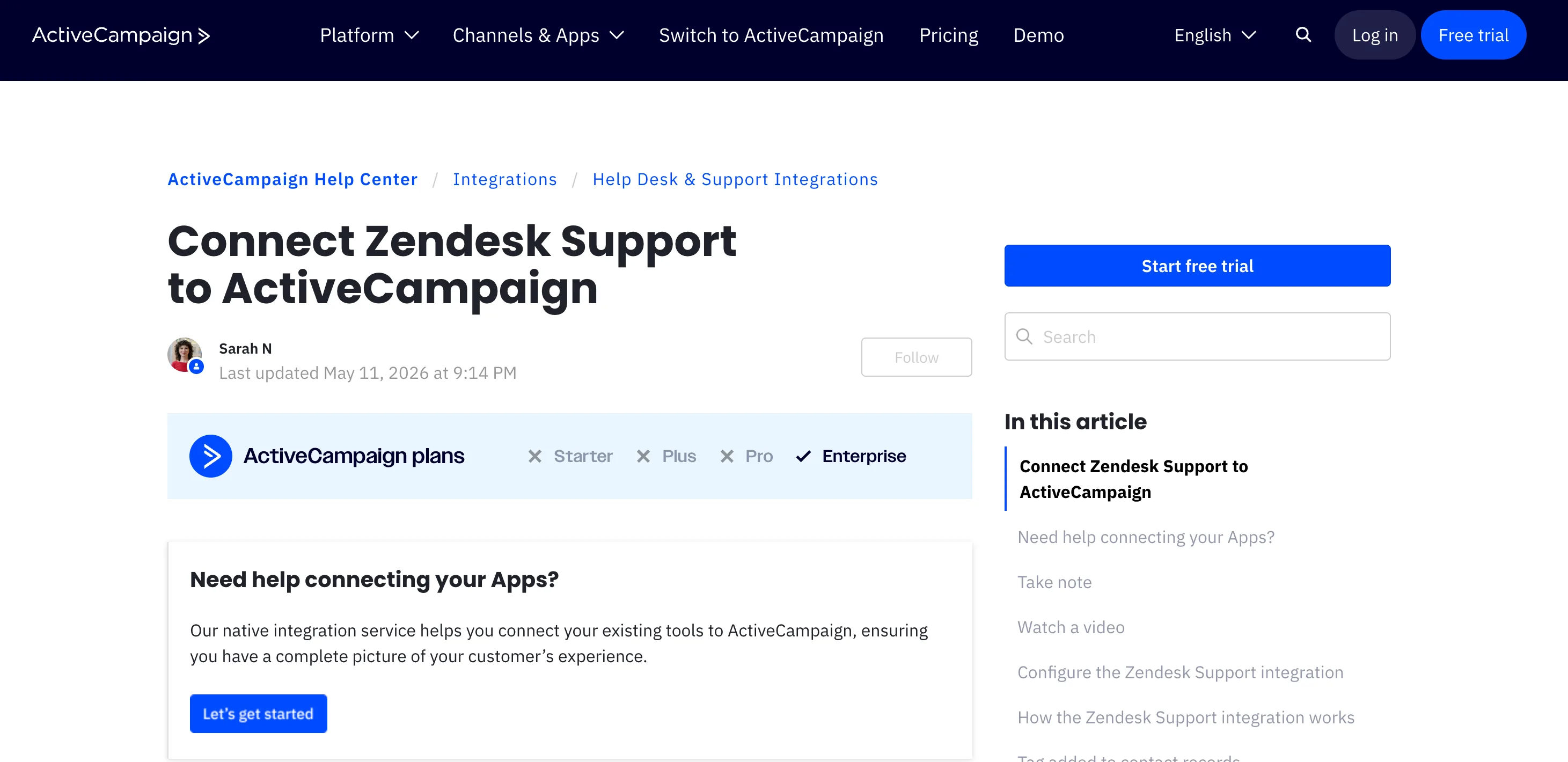
The native connector belongs to ActiveCampaign's premium integrations batch, so it requires the Enterprise plan, from $145 per month at 1,000 contacts on annual billing. Lower tiers do not include it. For reference, Starter lists at $15, Plus at $49, and Professional at $79 at the same contact count (ActiveCampaign pricing). Plans and prices shift, so confirm the current figure before you budget.
On the Zendesk side, you need a plan that supports Marketplace apps. The Support Essential plan is excluded, since that legacy plan predates current Marketplace app support (ActiveCampaign Help).
A few cost mechanics worth naming plainly:
-
One connector, top tier. Other ActiveCampaign integrations sit much lower. Shopify starts on Starter at $15 (ActiveCampaign), and Calendly starts on Plus at $49 (ActiveCampaign). Zendesk Support asks for Enterprise, so you buy the whole top tier to get one connector.
-
Contact-based billing. ActiveCampaign pricing scales with your total contact count, so syncing more requesters can nudge you into a higher band over time.
-
No extra seat fee for the connector itself. You pay the two subscriptions at standard pricing and nothing more for the link.
For contrast, ActiveCampaign ships many lighter connectors. A Shopify integration, WordPress integration, Calendly integration, and Trello integration all reach further down the tiers, so most custom integrations cost far less than this one. The Zendesk integration is the outlier that asks for the top plan.
Honest off-ramp: if you are not already on Enterprise, do not upgrade only for this. The jump rarely pays for itself when a few automations are all you need. Zapier or Make can wire the same core flows for far less.
Step-by-step setup
The Zendesk integration setup happens entirely inside ActiveCampaign, and the flow below tracks ActiveCampaign's current documentation (ActiveCampaign Help).
-
In ActiveCampaign, open Apps from the main menu.
-
Search "Zendesk Support" on the All Apps page, then open it.
-
Click Add an account.
-
Paste your Zendesk Support subdomain into the modal, then click Connect.
-
Authorize the connection. If you are already signed in to Zendesk, click Accept. If not, log in first, then authorize.
-
On the Review Events step, confirm it will receive ticket created and ticket updated events. Click Continue.
-
On the Zendesk Support Objects step, review the Ticket object and its fields. Click Continue.
-
Complete Field Mapping. Map the Zendesk email field to the ActiveCampaign email field, which is required, then map any extras.
-
Click Finish.
After that, the Zendesk Support Apps page shows your connected account. New tickets start syncing from this point forward.
One pre-step saves pain later. Create the custom fields you plan to use in ActiveCampaign before you connect Zendesk Support, because the connector only maps to fields that already exist.
Field mapping
Mapping is where the integration earns its keep, so plan it before you click through. Map only what your automations and reporting actually use. Extra fields add noise and help no one.
| Zendesk Support field | Maps to in ActiveCampaign | Why map it |
|---|---|---|
| Requester email | Contact email (required) | The match key for every sync |
| Requester name | Contact first and last name | Personalization and identification |
| Organization | Account record | B2B account-level context |
| Ticket Status | Ticket custom object | Pause or resume sends by state |
| Ticket Priority | Ticket custom object | Route VIP and urgent alerts |
| Ticket Type | Ticket custom object | Branch by question, incident, or task |
| Created / Updated At | Ticket custom object | Timing for follow-ups |
When you map Zendesk Support fields to a Deal, Account, or private custom object, the integration creates or updates those records and links them to the contact (ActiveCampaign). So map ticket data to a Deal only when you want support signals to move deals, for example to create deals from high-value tickets or to update an account record.
Two habits keep the data clean. Name your mapped fields to match your Zendesk labels so audits run faster. If you run multiple Zendesk brands, map Brand ID to a field so you can tell them apart. Teams that want ticket fields filled consistently on the Zendesk side often pair this with AI tagging and field filling, so the data arriving in ActiveCampaign is already structured.
Key use cases
The integration shines when ticket state changes what marketing does next. Each example below lets you automate workflows that return real value.
-
Suppress promos during open support tickets. Branch on ticket status so contacts with an open support ticket skip the promotional sequence. No more upsells mid-complaint.
-
Fire a post-resolution survey. When a Zendesk ticket moves to solved, trigger a satisfaction survey or a gentle follow-up. The timing feels earned rather than random.
-
Alert on VIP or urgent tickets. Use priority to notify account managers or success when a key customer files a high-stakes support issue.
-
Catch churn risk early. Flag contacts with repeated support tickets, then route them into a retention track instead of a renewal push.
-
Hold the sales call. Pause an upsell while a billing-tagged ticket is still open, so a sales call never collides with an unresolved support ticket.
The pattern repeats across all five. Support state becomes the condition, and your ActiveCampaign automation becomes the response.
How segmentation works with ticket data
Here is the detail teams ask about most after setup. Yes, you can segment on Zendesk ticket data, but a few rules shape how.
ActiveCampaign treats the synced ticket as a custom object. You can use Zendesk ticket field data when building conditions in the segment builder, the same way you would with any custom object (ActiveCampaign Help). So a saved audience of everyone with open support tickets is within reach.
Three constraints are worth knowing before you design around them:
-
One custom object trigger per automation. When an automation starts from a custom object trigger, that automation can use only that one trigger (ActiveCampaign Help).
-
Personalization needs a Zendesk trigger. To pull Ticket custom object fields into the personalization of your ActiveCampaign campaigns, the automation has to start from a Zendesk Support trigger. Otherwise the Custom Objects personalization options will not appear.
-
Conditional Content is the exception. Custom object data works in most segment builders, but Conditional Content only references the triggering custom object, not every ticket on a contact (ActiveCampaign Help).
A reliable pattern still helps for reporting. Inside an automation, tag contacts with a state such as has_open_ticket, then segment on the tag. It costs one extra step, and it keeps a clean, list-style audience you can reuse anywhere.
Choose your path: native, Zapier or Make, custom API, AI layer
There is more than one way to integrate ActiveCampaign with Zendesk Support, and the native connector is just one of them. Start from the job you are solving, then pick by volume, budget, and how much control you need.

Native connector suits Enterprise teams that want a supported, low-maintenance link for ticket-driven automations. Zapier or Make fits lower-tier teams that need a few workflows without an upgrade. A custom API build earns its cost when you need two-way sync, historical backfill, or CSAT written back. An AI support layer is a different job entirely: resolving complex tickets, not moving their metadata.
| Approach | Best when | Where it falls short | Rough cost driver |
|---|---|---|---|
| Native connector | You run AC Enterprise and want a supported, low-maintenance link | One-way only; no write-back; no full conversation history | AC Enterprise from $145/mo |
| Zapier / Make | You run a lower AC plan or want custom logic fast | Per-task or per-operation billing climbs at volume; you maintain the build | Task or operation volume |
| Custom API build | You need two-way sync, backfill, or CSAT write-back | Engineering time to build and keep alive | Developer hours |
| AI support layer | Resolving complex tickets, not just moving their data | Not a connector; does not replace the AC sync | Separate tool |
Two honest off-ramps belong here:
-
If your knowledge base and sends are simple, the native connector handles tagging, suppression, and a few follow-ups without add-ons. You may need nothing else.
-
If you are not on Enterprise, add Zapier (from about $19.99/mo for 750 tasks) or Make (from about $12/mo for 10,000 operations) instead of upgrading. You keep your current tier and still get ticket-driven automations.
Where a connector stops and a support AI layer begins
First, the off-ramp. If your bottleneck is data flow, the native connector or a Zapier flow already covers it, and you can skip this section. A support AI layer answers a different question.
A connector moves data. It does not resolve the ticket that created the data. That distinction starts to matter once volume climbs.

The native sync tells marketing a ticket is open. It does nothing to close that ticket faster or better. For teams buried in complex troubleshooting, the constraint is resolution, not data movement. That is a support problem, not a sync problem.
This is where an AI support agent fits, as a layer rather than a connector. Pluno, for example, works inside Zendesk, learns from past resolved tickets, and drafts or resolves replies with real diagnostic context. It pulls from sources a knowledge base alone misses, such as prior tickets and internal tools, then escalates to a human when its confidence runs low.
Where it falls short, plainly: Pluno is not an ActiveCampaign connector and will not replace the native sync. It does not map fields between platforms or run your email automations.
Not for: teams whose only goal is moving ticket metadata into a CRM. It is also a poor fit if your tickets are simple FAQ requests, your ticket volume is low, or Zendesk is not your core support workspace. Pluno earns its place with B2B SaaS and technical products where complex tickets are the norm. For pure metadata sync, the native connector or a Zapier flow is the right and cheaper tool.
The takeaway is to separate the two jobs. Use the connector for data flow, and judge a resolution layer on whether it actually cuts your handle time. For a closer look at how an AI agent compares with Zendesk's own AI, see Zendesk AI vs Pluno, or browse the best AI agents for Zendesk in 2026.
When native is enough, and when you need more
Most teams overthink this. The honest split is short.
Native is enough when:
-
You want basic tagging on open versus closed tickets.
-
You need to suppress promos and send a few post-support follow-ups.
-
The two built-in triggers and automation If/Else logic cover your plans.
You need more when:
-
You run multi-brand Zendesk or complex B2B cycles that need joint support, success, and marketing context.
-
You require two-way sync, historical backfill, or CSAT written back to ActiveCampaign.
-
High ticket volume means the real constraint is resolving tickets, not syncing them.
And a quieter option. If volumes are low, keeping the two systems loosely coupled with manual tagging is a valid, cheap choice. Not every stack needs an integration.
How to measure success
Decide what "working" means before you build, then watch a small set of numbers.
Track suppression accuracy first. Count how many promotional sends still reach contacts with open tickets. The target is near zero. Watch the post-resolution survey response rate next, since sharper timing usually lifts it.
On the support side, measure whether ticket context actually shortens replies. Time to first response and resolution time are the honest signals. If an AI layer is in play, hold it to a resolution number rather than a vibe. Pluno reports an average 65% AI resolution rate across 200+ support teams, and its customer Innovorder cites 67% on complex tickets along with a first response time that fell from an hour to under a minute. Treat those as benchmarks to test against your own ticket history, not as guarantees.
FAQ
Is the Zendesk ActiveCampaign integration one-way or two-way? One-way. Data syncs from Zendesk Support into ActiveCampaign only. You cannot edit or resolve tickets from ActiveCampaign.
Which plan do I need for the native connector? ActiveCampaign Enterprise, from $145 per month at 1,000 contacts on annual billing. On Zendesk, any plan that supports Marketplace apps works, except the legacy Support Essential plan. Confirm current pricing on the ActiveCampaign pricing page.
Can I create new ActiveCampaign contacts from a new Zendesk ticket? Yes. If the requester's email has no match, the integration creates a contact with basic data, then links the ticket as a custom object.
Which fields sync between Zendesk and ActiveCampaign? The Ticket object shows Status, Ticket ID, Priority, Type, and Updated At. A longer set, including Subject, Description, Assignee ID, and Created At, is available for email personalization. You map these to existing fields in ActiveCampaign.
Can I segment ActiveCampaign contacts by Zendesk ticket data? Yes. Ticket custom object fields work in the segment builder, in automation If/Else logic, and in email personalization. The main exception is Conditional Content, which only references the triggering ticket. Many teams also tag a state inside an automation, then segment on that tag for a cleaner saved audience.
What is the cheapest way to pause ActiveCampaign campaigns during open tickets? Start an automation from the Zendesk Support Ticket Created trigger, branch on ticket status, and apply a has_open_ticket tag. Exclude that tag from promotional sends, then remove it when the ticket resolves.
Does it work with Zendesk Chat or Zendesk Sell? No. The native connector covers Zendesk Support. Zendesk Sell runs on a separate connector, and Chat sits outside ticket events.
Do historical tickets backfill after I connect? Generally no. The custom object lists tickets from the connection date forward. Confirm current backfill behavior in ActiveCampaign's custom objects documentation before you assume history will appear.
How fast does data sync? Near real time. Ticket events push to ActiveCampaign shortly after they occur, so triggers fire without manual polling.
What if I am not on ActiveCampaign Enterprise? Use Zapier or Make to connect the two without upgrading. You keep your current plan and still build ticket-driven automations.
Next step
You do not have to decide everything today. If you already run Enterprise, connect the apps and start with one workflow: suppress promos during open tickets. That single automation proves the value fast.
If you are weighing an upgrade, map your real need first. A connector solves data flow. Slow resolution on complex tickets is a separate problem, worth testing a support AI layer against your own tickets before you commit. Either way, start with the bottleneck, measure one number, and pick the layer that solves it.