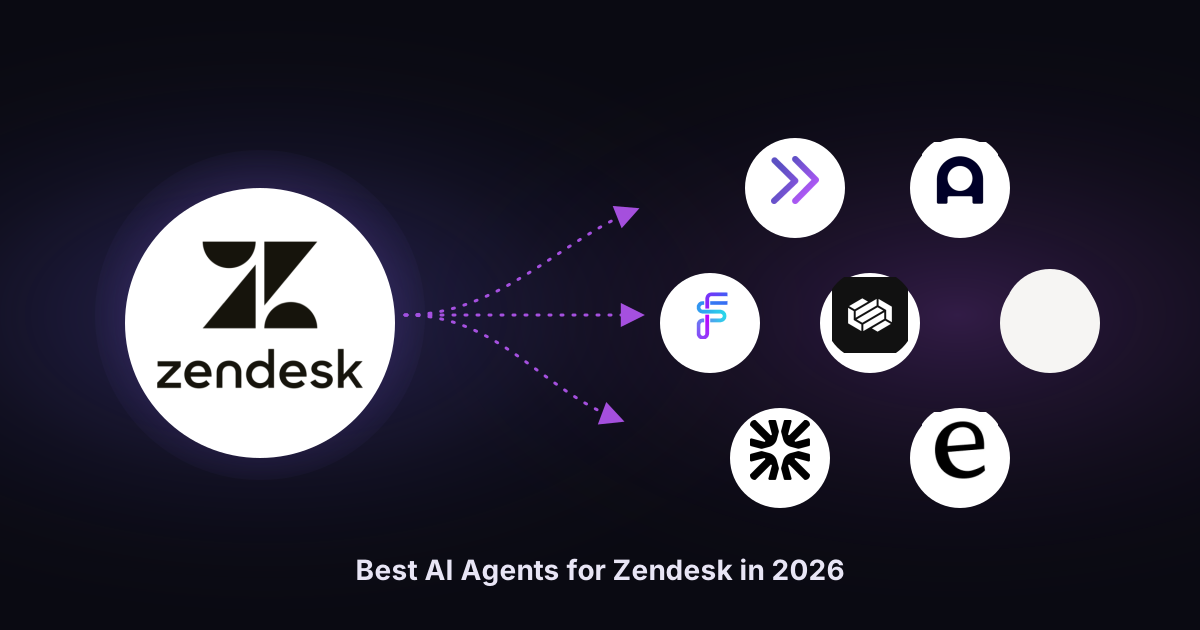
Ticket volume is still climbing, but hiring is not. Support teams are expected to cut response times, protect customer satisfaction, and absorb new product launches without adding headcount. First-generation chatbots pretended to solve this by following scripted flows and deflecting common inquiries already answered elsewhere. They left the hard tickets untouched, and customer experience suffered. Customers now expect 24/7 support, and 52% walk away after a slow response, so "deflection" that quietly breaks trust is worse than no AI automation at all. The best AI agents fix this by actually reading a ticket, gathering context, acting, and escalating only when they should. This post compares the top AI agents for Zendesk in 2026 using the same nine criteria for every option, so you can match the right AI agent to your ticket mix, your customer support stack, and your risk tolerance.
TL;DR
- Complex B2B and technical tickets: Pluno. The sharpest fit when answers depend on past tickets, Slack, Jira, and internal APIs.
- Zendesk-native default: Zendesk AI Agents with Advanced. Reasonable for Zendesk teams with knowledge-base-friendly tickets.
- Enterprise omnichannel and large contact centers: Ada, Forethought, Decagon, and Sierra.
- Fastest path to an agent on your docs: eesel AI.
- Intercom-first stacks: Intercom Fin AI.
- Freshdesk teams: Freshworks Freddy AI, the native equivalent.
What AI agents for Zendesk actually are
AI agents reason about a ticket, pull context from multiple channels, take action (reply, update fields, create Jira issues, call APIs), and decide when to hand off to human agents. Unlike traditional chatbots, they are not limited to scripted conversation flows. Modern AI agents combine large language models, natural language processing, and machine learning to retrieve information from your knowledge base, past tickets, and existing systems. They deliver 24/7 support across email, chat, social media, and messengers, answer in 30+ languages, and resolve common inquiries without extensive training. Leading vendors report up to 80% autonomous resolution and response times dropping by as much as 97%, freeing human agents to focus on complex issues that need empathy and problem-solving.
Three categories sit under the "AI agent" label, and service teams should keep them distinct:
-
Autonomous AI agents reply directly to the customer. This is what "deflection" means in 2026.
-
AI copilots draft answers inside the agent workspace. Freddy AI Copilot, Zendesk Copilot, and Intercom Copilot are examples.
-
AI-powered routing, tagging, and QA layers operate on the ticket pipeline without customer-facing replies.
The best AI agents for Zendesk blend all three, but the autonomous layer changes customer support economics.
Comparison table: Best Zendesk AI Agents in 2026
| AI agent | Best for | Resolution approach | Pricing (April 2026) | Setup | Zendesk fit |
|---|---|---|---|---|---|
| Pluno | Complex B2B tickets | Past tickets + KB, Slack, Jira, APIs | Custom annual, usage-based | Days | Built for Zendesk |
| Zendesk AI Agents (+Advanced) | KB-driven deflection on simple inquiries | KB-grounded + API actions | Suite seat + $50/agent/mo Advanced + ~$1.50-$2.00 per resolution | Days to weeks | Native |
| Forethought | Multi-agent enterprise stack | Solve, Triage, Assist, QA, Discover | Custom enterprise | Weeks | Native (Zendesk company) |
| Ada | Enterprise omnichannel support | Reasoning Engine + Playbooks | Custom enterprise | Weeks to months | Deep Zendesk integration |
| eesel AI | Fast launch on existing docs | Learns from connected apps | Public per-ticket tiers | Hours to days | Strong Zendesk integration |
| Intercom Fin AI | Intercom-first stacks | Content-grounded AI agent | $0.99/resolution + seats $29-$132 | Days | Zendesk connector |
| Decagon | Enterprise consumer brands | Agent Operating Procedures | Custom enterprise | Weeks | Via support connectors |
| Sierra | Outcome-priced enterprise brands | Agent OS for build and optimization | Outcomes-based | Weeks | Via connectors |
How we evaluated the options
We applied the same nine criteria to every option, pulled facts from vendor pages in April 2026, and prioritized evidence. Criteria: fit, what it does, mechanism, key features, pricing, setup, main limitation, standout strength, and buyer profile. Three factors carried the most weight: whether AI agents resolve complex tickets or just common inquiries, how they behave when confidence is low, and native Zendesk integration so ticket history and escalations flow both ways. We excluded third party tools that only rebrand a flow builder, AI agents with no Zendesk integration, and tools with unverifiable pricing.
The 8 best AI agents for Zendesk in 2026
1. Pluno
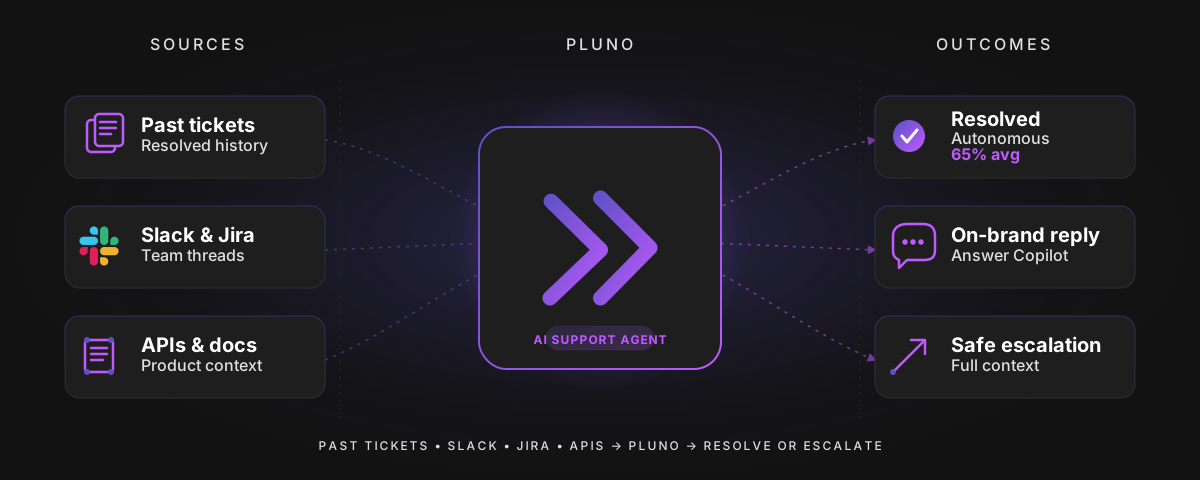
Best for: B2B support teams on Zendesk with technical products where resolution requires troubleshooting, not FAQ lookup.
What it does: Pluno is an AI agent built for complex support tickets. It resolves tickets autonomously when confident, assists human agents with drafts and full context, and manages cross-team escalations into Slack, Jira, Linear, Microsoft Teams, or incident.io, all inside Zendesk.
How it works: Pluno does not rely only on your knowledge base. It learns from past resolved tickets to reconstruct troubleshooting flows, then searches in parallel across past tickets, help center articles, Slack threads, Jira issues, and connected APIs. Each answer is evidence-grounded. When confidence is low, it escalates with a summary, evidence, and next steps, so human agents never restart from zero.
Key features: ticket learning that improves as your support team resolves more cases; AI troubleshooting with diagnostic questions; unified search across tickets, help center, Slack, Jira, and APIs; on-brand drafts that respect brand voice; two-way context sync between Zendesk and Jira; automatic escalation with full context; auto tagging, priority detection, and field filling; natural language queries over your support data.
Pricing: Usage-based annual contracts that scale with support volume rather than a fixed per-agent fee. A 10-person US support team typically pays around $60k per year (April 2026). Field automation apps and the Zendesk marketplace install are free to try.
Setup or integration complexity: Low. Installs from the Zendesk Marketplace and learns from historical tickets on day one. Native connectors for Jira, Slack, Sentry, DataDog, and APIs.
Main limitation: Works with Zendesk and Intercom only, and built for teams with at least ~1,000 tickets per month. Very small teams, or teams whose tickets are pure FAQ password resets and order status lookups, will not see the full advantage.
Why it stands out: Most AI agents hit a wall when knowledge lives outside the help center. Pluno was built for that case. It connects support and engineering workflows so escalations carry reproduction details and sync updates back, which is why Innovorder reports 67% auto-resolution on complex B2B tickets with first response under a minute, and Kojo sees 50% deflection plus three times faster engineering response.
Innovorder's figure comes from its chat and WhatsApp channels:
"From 10 January to 10 February we had 380 AI resolved tickets. So it is 67% of the tickets that AI resolved."
Aurélien Wei, Team Lead Support at Innovorder
Who should choose it: B2B SaaS, hardware, fintech, and technical-product support teams on Zendesk with meaningful ticket volume who have tried KB-only AI agents and found them insufficient on complex workflows.
2. Zendesk AI Agents (with Advanced add-on)
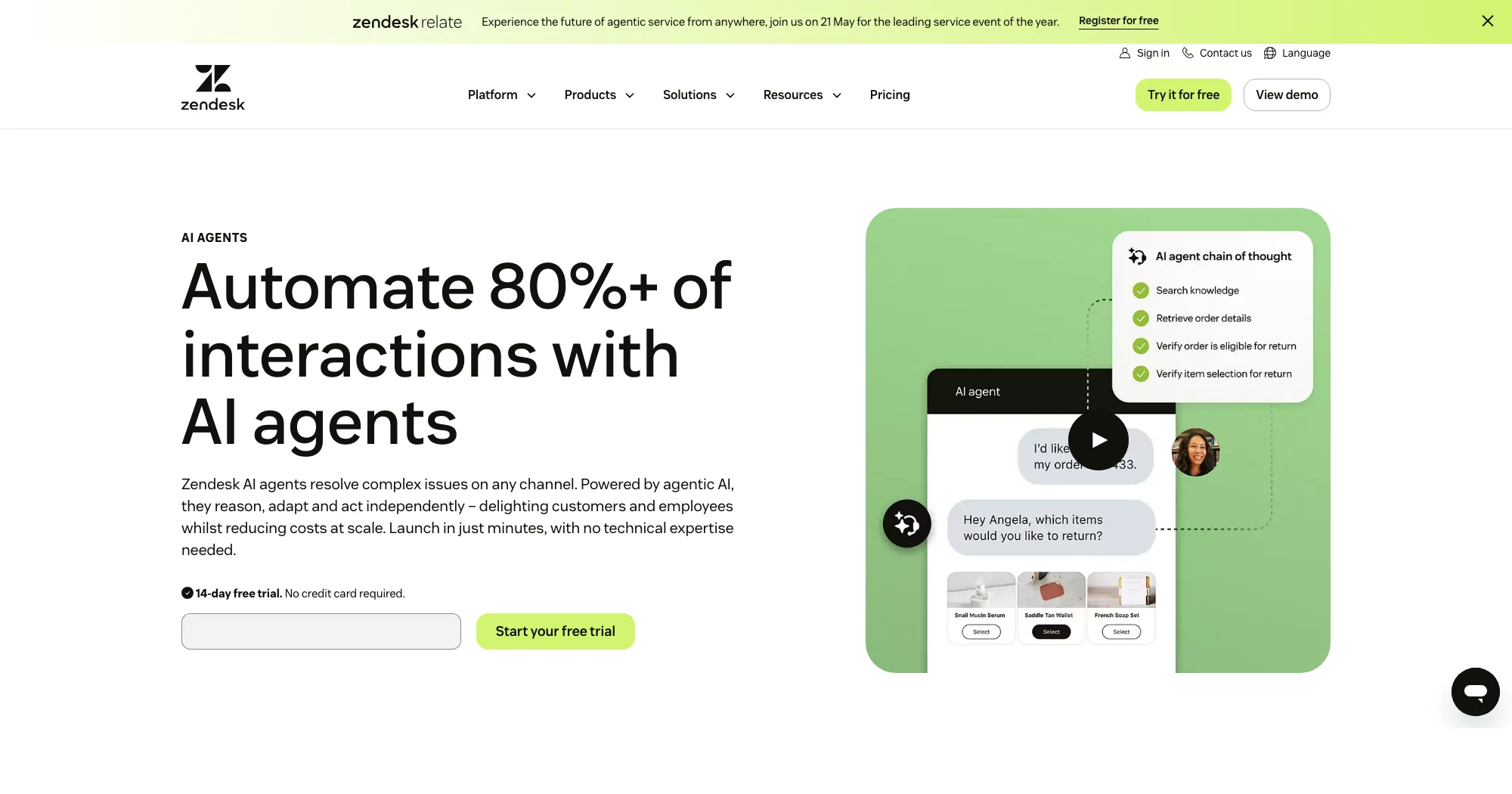
Best for: Zendesk-native support teams whose tickets are mostly common inquiries answerable from a maintained knowledge base.
What it does: Zendesk's native AI agents sit inside Zendesk Suite, reply across web chat, messaging, email, and social 24/7, and use the Advanced add-on to run multi-step workflows and call APIs for order status, refunds, and similar.
How it works: The base AI agents ground answers in your help center and ticket history. The Advanced add-on adds conversation flows that branch on customer intent, call external systems, and combine actions in one resolution. Zendesk claims models pretrained on 18+ billion real service interactions, improving accurate responses on common customer interactions.
Key features: native integration with every part of Zendesk; omnichannel support across email, web chat, messaging, and social; intent and sentiment detection; category-based automation rules for customer queries; API actions in Advanced for complex logic; performance analytics dashboards; multilingual coverage; AI features for self service; human-agent handoff.
Pricing: Core AI agent capacity is bundled into certain Suite tiers. The Advanced add-on is around $50 per agent per month, plus approximately $1.50-$2.00 per automated resolution (April 2026). Usage-based pricing like this can lead to cost savings vs traditional per-agent pricing when volume is predictable.
Setup or integration complexity: Medium. Because it is native, it inherits your Zendesk configuration. Advanced flows and API actions require more work and some business logic tuning.
Main limitation: Answers depend on help center quality. If resolution knowledge lives in Slack, Jira, or engineering systems, the native AI-powered agent struggles. Per-resolution pricing on top of seat fees can make economics hard to predict at high volume.
Why it stands out: Zero third-party integration risk, plus Zendesk's model training on service-specific data and the Ultimate acquisition powering its agent layer.
Who should choose it: Customer support teams whose tickets are dominated by common inquiries (order status, password resets, returns, simple account questions) and whose knowledge base is already well maintained.
3. Forethought
Best for: Mid-market to enterprise Zendesk teams that want a multi-agent stack covering resolution, triage, assist, QA, and insights.
What it does: Forethought packages five agents: Solve (customer-facing resolution), Triage (classification and routing), Assist (agent copilot), QA, and Discover (insights into knowledge gaps and support demand drivers).
How it works: Each agent handles one job. Solve resolves common inquiries using your help center and historical tickets. Triage auto tags tickets and assigns priority. Assist drafts replies. Agents coordinate, so tickets Solve cannot close hand over with Triage context attached.
Key features: multi-agent architecture; omnichannel support for chat, email, and voice; automated QA scoring; support demand analytics; deep Zendesk integration (now part of Zendesk); intent and sentiment detection; response drafts.
Pricing: Custom enterprise pricing, not publicly listed as of April 2026.
Setup or integration complexity: Medium to high. Each agent has its own configuration, but the payoff is broader coverage.
Main limitation: Heavier than many teams need. If you only want to resolve common inquiries, Zendesk AI Agents or eesel is lighter and cheaper.
Why it stands out: One vendor covers both customer-facing resolution and internal agent productivity without stitching multiple AI tools together.
Who should choose it: Larger Zendesk customers who want one AI layer across resolution, routing, support workflow, agent assist, and QA, with enterprise budget.
4. Ada
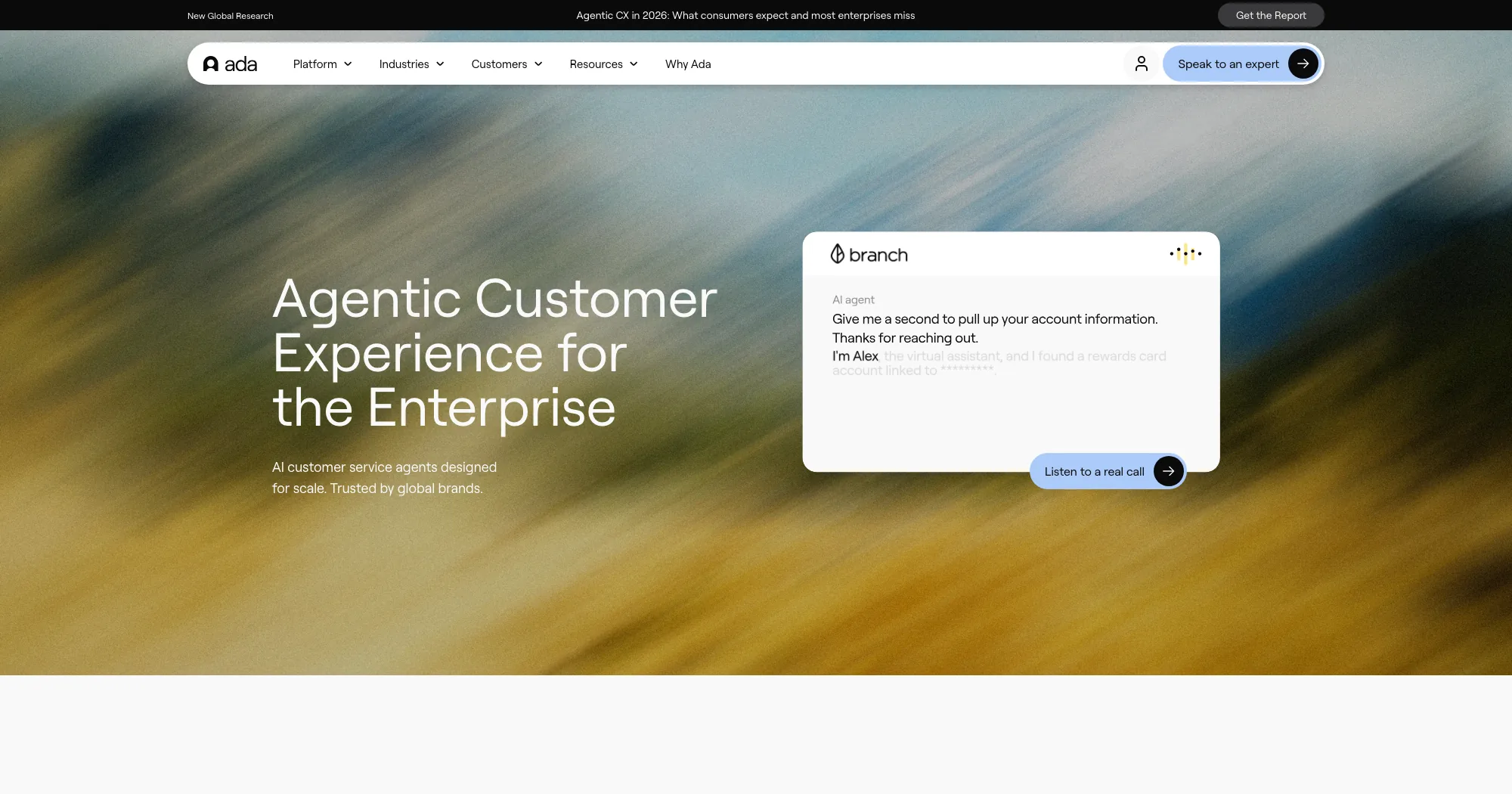
Best for: Enterprises with high ticket volume, strict compliance needs, and 24/7 multilingual omnichannel support.
What it does: Ada operates an AI agent across voice, email, chat, Messenger, WhatsApp, SMS, Instagram, in-app, and custom channels, claiming to resolve over 80% of customer inquiries at enterprise scale.
How it works: Ada's Reasoning Engine unifies decisioning across channels. Playbooks define multi-step processes without rigid scripts. The Performance Center monitors and improves agent behavior, and coaching feeds corrections back so the agent learns.
Key features: omnichannel support across 10+ channels; 24/7 coverage regardless of time zone; Reasoning Engine with safeguards; Playbooks for complex workflows; performance analytics; multiple languages; HIPAA, SOC 2, and GDPR compliance; native Zendesk integration alongside Salesforce and ServiceNow.
Pricing: Custom enterprise pricing, not public as of April 2026.
Setup or integration complexity: Medium to high. Integration with Zendesk and other existing systems is strong; Playbooks and voice deployments add implementation time.
Main limitation: Enterprise pricing and a longer implementation cycle than quick-start options.
Why it stands out: Channel breadth and governance. If buyers are on WhatsApp, Messenger, and voice alongside web chat, Ada handles all under one reasoning layer.
Who should choose it: Enterprise support teams and contact centers in regulated industries, large e commerce, travel, health insurance, and financial services needing compliance plus real omnichannel support.
5. eesel AI
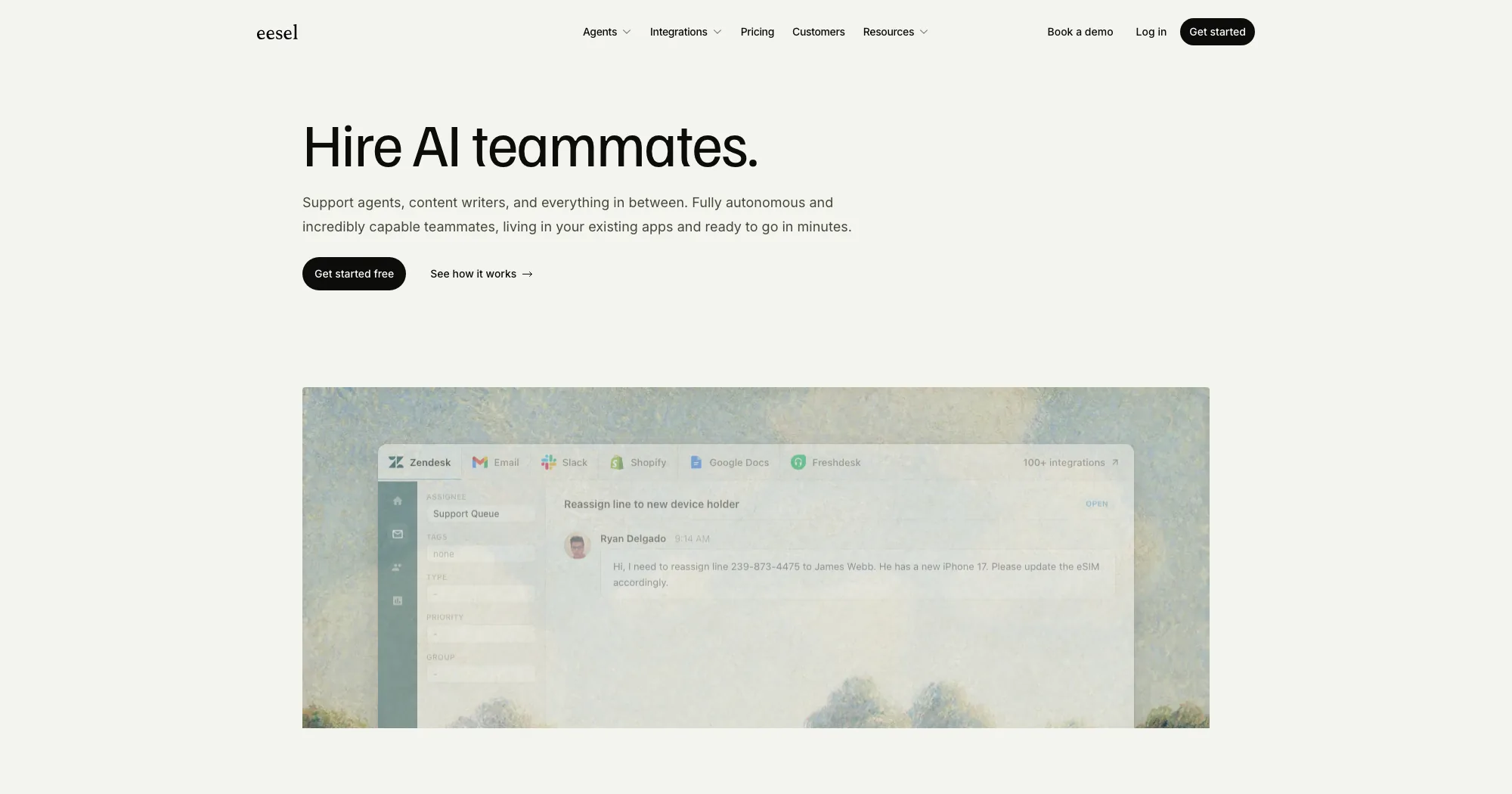
Best for: Teams who want a working AI agent on top of existing systems without a long implementation.
What it does: eesel AI deploys a helpdesk agent that drafts and sends replies, escalates when needed, and learns from whatever apps you connect.
How it works: Connect eesel to Zendesk, Slack, Notion, Freshdesk, Shopify, Microsoft Teams, and similar tools, and the agent learns from historical data immediately. Non-technical teams coach it through the dashboard without developer configuration.
Key features: fast setup in minutes to hours; integrations with Zendesk, Slack, Freshdesk, Notion, Shopify, HubSpot, Microsoft Teams, and more; coachable AI-powered agent for non-technical users; support for simple e commerce cases like order status, returns, and immediate answers; multilingual coverage.
Pricing: Flexible per-ticket tiered pricing that scales with support volume, listed on eesel's site below enterprise contracts. Check the current pricing page for details.
Setup or integration complexity: Very low. eesel leans on being productive on day one.
Main limitation: Built around connected docs and tickets. For deeply technical products needing reproduction steps and internal APIs, a purpose-built AI agent like Pluno usually outperforms it.
Why it stands out: Speed to first resolution. One eesel customer is documented handling 100,000+ tickets per month in German.
Who should choose it: Lean support teams and mid-market companies that want AI automation live this quarter without a long rollout.
6. Intercom Fin AI
Best for: Teams who already run Intercom and want a Fin AI-powered agent that can also sit alongside Zendesk via connector.
What it does: Fin AI is Intercom's AI agent. It answers customer questions 24/7, takes actions through workflows, and resolves conversations end to end. A Zendesk connector lets mixed stacks use Fin AI on web chat while Zendesk handles tickets.
How it works: Fin AI grounds answers in content sources (help articles, URLs, uploaded documents) and extends through custom actions that call APIs. A resolution counts when the customer confirms, asks no further help, or a workflow completes.
Key features: content-grounded AI capabilities; custom actions for backend calls; brand voice controls; multiple languages; intent and sentiment detection; AI copilot; performance analytics.
Pricing: Usage-based at $0.99 per resolution plus seat pricing: Essential $29, Advanced $85, Expert $132 per seat per month (April 2026). Copilot add-on at $29 per agent per month. Per-resolution pricing can lower operational costs at predictable volume.
Setup or integration complexity: Medium. Fast to launch inside Intercom but requires setup to connect cleanly to Zendesk tickets.
Main limitation: Optimized for Intercom-first stacks. If Zendesk is your system of record, you add integration friction, and per-resolution pricing can climb at high volume.
Why it stands out: Transparent per-resolution pricing and a polished experience, especially for e commerce brands using Intercom for web chat.
Who should choose it: Teams who already run Intercom for customer engagement but keep Zendesk for support, or teams who want Fin AI on web chat for high volumes of e commerce customer queries.
7. Decagon
Best for: Large consumer brands that want an AI concierge across voice, chat, and email with strong optimization tooling.
What it does: Decagon is an AI agent platform aimed at high-volume consumer operations, with customers including Chime, Duolingo, ClassPass, and Rippling.
How it works: Agent Operating Procedures let teams define natural language workflows instead of coding flows. The platform runs A/B experiments, monitors quality with Watchtower, and feeds improvements back into the agent.
Key features: omnichannel support across voice, chat, and email; Agent Operating Procedures in natural language; A/B experiments; always-on QA; Voice of the Customer analytics.
Pricing: Custom enterprise pricing, not public as of April 2026.
Setup or integration complexity: Medium to high. Best results come from tuning Agent Operating Procedures over time.
Main limitation: Enterprise-only in practice. Smaller teams find the pricing and setup out of scale.
Why it stands out: Strong outcomes for consumer brands (Chime reports 70% chat and voice resolution, Duolingo 80% deflection) plus deep experimentation tooling.
Who should choose it: Large consumer brands with high volume, a testing culture, and budget for an enterprise AI platform.
8. Sierra
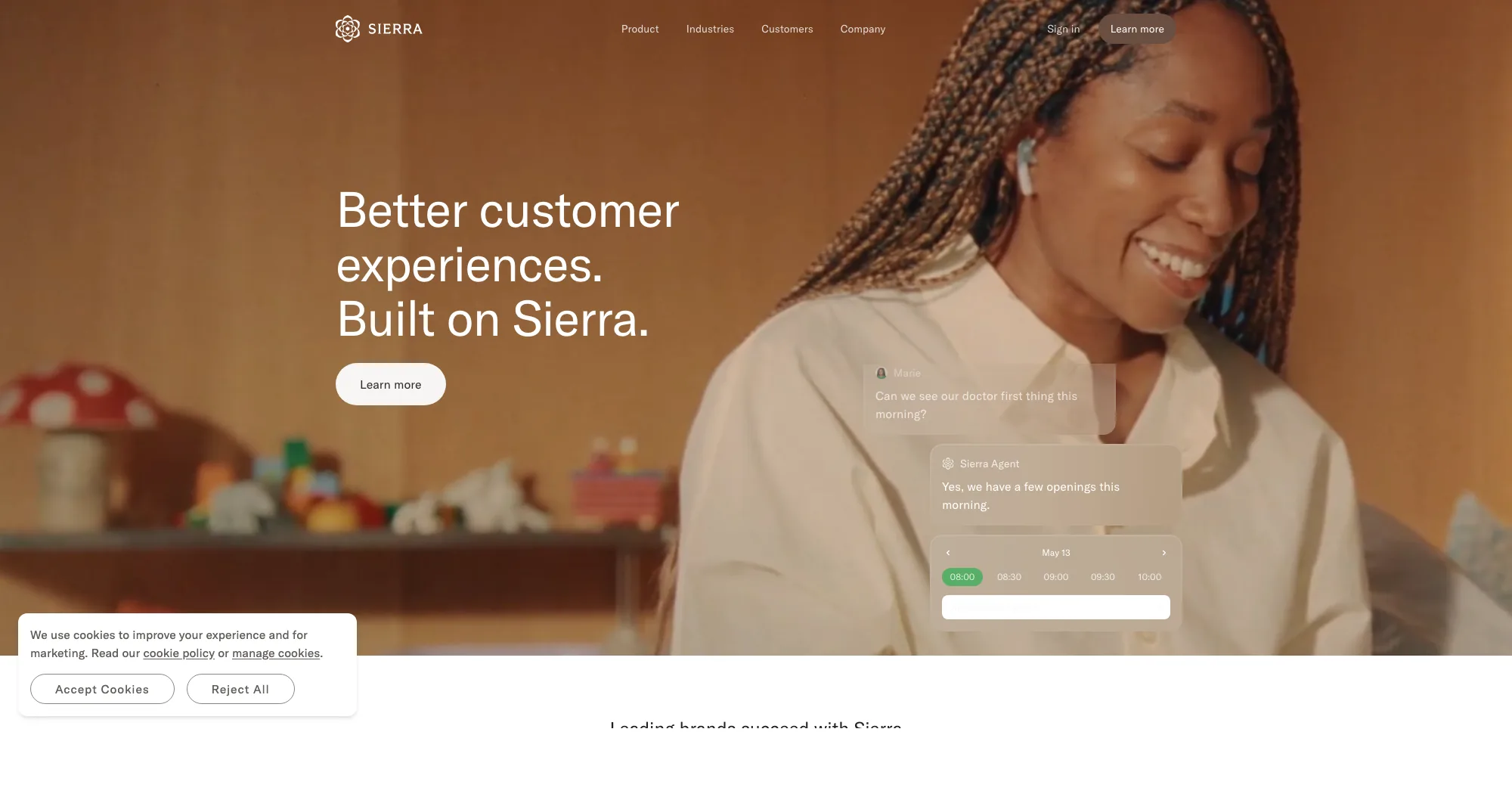
Best for: Enterprise brands that prefer outcomes-based pricing and want agents aligned with customer preferences and brand voice.
What it does: Sierra is an Agent OS used by Rocket Mortgage, SoFi, SiriusXM, and Wayfair to build and scale AI agents across chat, SMS, WhatsApp, email, voice, and ChatGPT.
How it works: Sierra's Ghostwriter builds agents from SOPs or transcripts, and the Agent Data Platform adds memory and customer data to personalize replies. Explorer, Monitors, and Experiments drive optimization.
Key features: agent building from plain English; multiple channels under one agent; Agent Data Platform with memory; brand voice personalization; performance analytics; outcomes-based pricing.
Pricing: Outcomes-based. You pay only for successful outcomes Sierra delivers (as of April 2026).
Setup or integration complexity: Medium. Built around brand-specific SOPs. Zendesk integration is via connectors, not native marketplace.
Main limitation: Enterprise-oriented, with a heavier buy cycle. Not ideal for self-serve AI agent buyers today.
Why it stands out: Outcomes-based pricing aligns cost with real business value, and brand personalization is unusually deep.
Who should choose it: Large brands that want a brand-first support agent experience and prefer to pay per outcome.
How to choose the right AI agent/AI Tools for your Zendesk instance
Start with three questions.
Where does the knowledge needed to resolve your tickets live? If it sits in a tidy knowledge base, Zendesk AI Agents or eesel AI will do most of the work. If the real answers live in past tickets, Slack, Jira, and engineering tools, you need an AI agent that can pull from all of those. That is the strongest signal to look at Pluno.
What is your ticket mix? If most tickets are order status, processing refunds, password resets, and common inquiries, lean toward KB-grounded agents. If a large share is diagnostic, you need an AI agent built to gather information, solve problems, and troubleshoot, not just summarize articles.
What pricing model fits your volume? Usage-based or per-ticket pricing (Fin AI, Zendesk Advanced, eesel) suits low-to-mid volume and can lead to cost savings vs fixed per-agent fees when volume is variable. Outcomes-based pricing (Sierra) aligns cost with success. Annual contracts (Pluno, Ada, Forethought, Decagon) give cost predictability for large support teams. On Freshdesk, Freddy AI is the native equivalent at $49 per 100 sessions after an allowance.
A fourth factor matters for non technical teams: setup. Rule out months-long implementations if you need results within weeks.
One rule holds across every option: do not pick AI agents that cannot tell you how they will behave when unsure. Safe fallback with full context separates AI agents that protect customer satisfaction and reliable support from AI agents that quietly damage customer experience.
The bottom line
Comparison tables only get you so far. The real test is how an AI agent performs against your own ticket history, your stack, and your edge cases. Try Pluno yourself and run a free simulation on your Zendesk data to see exactly where it would resolve, draft, or escalate.
Continue reading: The 10 Best Zendesk Add-Ons for B2B Support Teams in 2026 →
FAQ
What is the difference between an AI agent and a chatbot? A chatbot follows scripted flows and keyword matching. An AI agent reasons about the ticket, pulls context from multiple channels, takes action, and decides when to escalate. Unlike traditional chatbots, modern AI agents use natural language understanding and machine learning to handle complex workflows and learn from interactions.
How much ticket volume can AI agents deliver in automated resolution? It depends on the ticket mix. Customer service teams with mostly common inquiries often see AI agents automate up to 80% of customer interactions, with response times dropping by as much as 97% after deployment. Support teams with complex B2B tickets usually see 40-70% once AI agents train on past tickets and internal tools. Pluno customers like Innovorder report 67% and Kojo 50%.
Will AI agents replace human agents? No. AI agents resolve repetitive support tasks and provide accurate responses on common questions, freeing human agents for complex cases that require empathy and problem-solving skills. Most customer support teams reallocate rather than cut headcount, and agent productivity on the remaining work rises.
What happens when the AI agent is unsure? A well-built AI agent escalates with full context, avoiding human intervention until truly needed: conversation summary, evidence searched, diagnostic steps, and next steps. This keeps customer experience intact and avoids guessing.
Can an AI agent handle multiple channels and languages? Yes. The best AI agents provide 24/7 omnichannel support across email, web chat, messaging, voice, and social, delivering instant, accurate answers from knowledge bases in 30+ languages, preserving conversation context, and using native routing to route tickets to the right queue. Some vendors build hybrid flows blending AI automation and human handoff on the same ticket.
Can non technical teams configure AI agents? Increasingly, yes. eesel AI targets non technical teams, Sierra lets you write Agent Operating Procedures in plain English, and Pluno launches without extensive training.
How do AI agents handle customer data and security? Enterprise options like Ada, Zendesk, Forethought, and Pluno are SOC 2 Type 2 certified and GDPR compliant. Pluno processes data in Europe and hosts LLMs via Microsoft Azure so model providers do not access customer data and no models train on it.
Which pricing model is best? Usage-based and per-ticket pricing scale with support volume and can lower operational costs vs fixed per-agent fees, which is why many AI agent platforms now offer flexible pricing based on usage. Outcomes-based pricing aligns with results. Annual contracts fit large support teams with steady volume.
How do I pick the right AI agent and avoid hallucinations? Pick AI agents that ground answers in evidence (past tickets, knowledge base, APIs) with an explicit confidence threshold. Ask each vendor how the system behaves when confidence is low. A well-chosen AI agent protects service quality; a poorly chosen one erodes it.
Does every AI agent integrate with Zendesk natively? Not all. Zendesk AI Agents, Forethought, Ada, eesel, and Pluno have strong native or marketplace integrations. Intercom Fin AI uses a Zendesk connector. Sierra and Decagon often integrate via a third party provider rather than native marketplace apps.